Docs / Wiki

The Manual

Every feature and every setting of Axis Micro BBS Firmware, one card per topic. Pick a card, or search.

Getting started

Overview

Topic
Overview
Area
Getting started
From
Rev. J. Money
To
All
Updated
2026-11-04
Msg
1 of 34

What the BBS is, what it does and what you need to run one.

Axis Micro BBS Firmware is a real, old-school bulletin board system that you call with a telnet terminal. It is written from scratch in C++ and runs entirely on the ESP32 "Cheap Yellow Display" (CYD, model ESP32-2432S028R): a 2.8 inch 320x240 touchscreen board with 4 MB of flash and no PSRAM. There is no PC behind it. The little board answers the calls, draws the ANSI screens, keeps the users and messages, serves the files over ZMODEM, and runs Legend of the Red Dragon as a native door written in C++.

The live board it was built for is AXIS UNDERGROUND CNC, run by Rev. J. Money, the maker of RotatoCAM. The software is the same for anyone who flashes it.
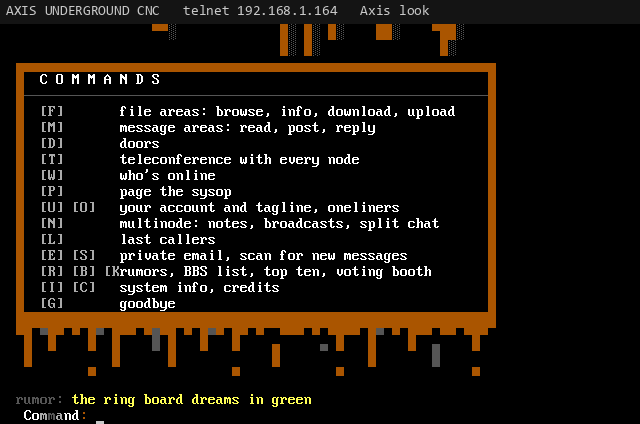
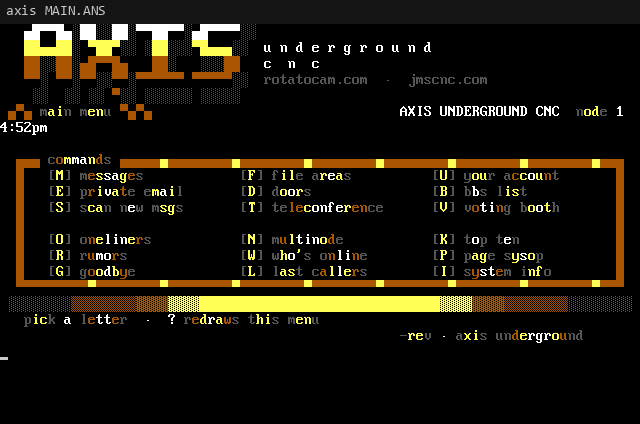
The main menu in the Axis look: a drippy orange MENU banner over a boxed command list
Main menu, Axis look
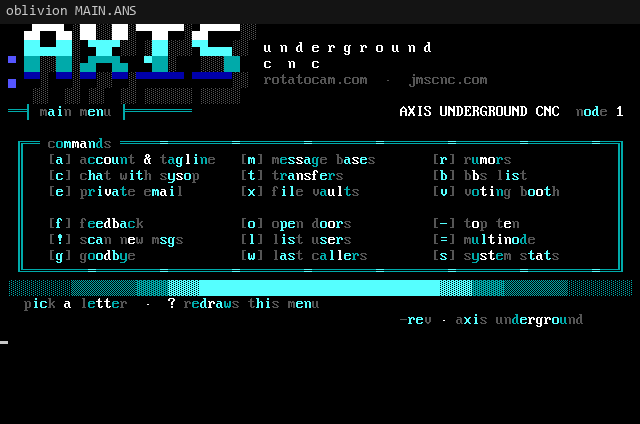
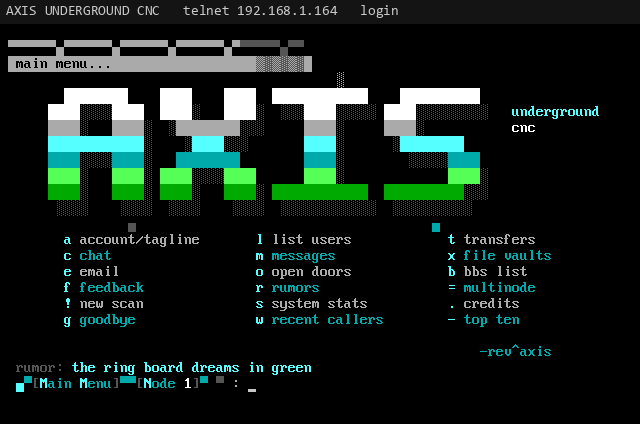
The main menu in the Oblivion look: big AXIS letters fading white to cyan to green over a three column list of commands
Main menu, Oblivion look
What it does
  • Telnet BBS on port 23 (configurable), 80x25 ANSI with CP437 art, tested with SyncTERM.
  • Two complete looks: Axis (drippy orange) and Oblivion (grey and cyan, in the style of Oblivion/2), switchable with one tap. Sysop art packs drop in from the SD card.
  • Accounts with a new user application, validation, security levels, permissions, a time limit and an idle logoff.
  • File areas on a microSD card with ZMODEM, XMODEM and XMODEM-1K downloads and uploads, an upload checker, archive listings, search, new files and a download ratio.
  • Message areas with quoting and taglines, a new message scan, and private email.
  • Oneliners, rumors, a BBS list, top ten, a voting booth, last callers and a bulletin.
  • Several callers per board, and several boards on one LAN joined into one BBS: teleconference, node messages, broadcasts and live split-screen chat between callers.
  • Native LORD (Legend of the Red Dragon in C++, over telnet), an ANSI pack viewer with ANSI movies, and a password-locked DOS prompt. An unmodified DOS EXE is a separate PC build, not this firmware.
  • A touch sysop console on the board itself: activity screen, node details with KICK, user validation, settings, logs, SD formatting, and a local login on the 2.8 inch screen.
What you need
Reference table: item, why (6 rows)
ItemWhy
ESP32-2432S028R (CYD)The board. A ready-to-plug-in unit comes flashed and tested.
USB powerAny USB charger or computer port. The board draws very little.
2.4 GHz WiFiThe ESP32 only speaks 2.4 GHz. Most home routers broadcast both bands.
microSD card, FAT32 (optional, not included with a ready-to-plug-in unit)Turns on the file areas, door files, theme art and the DOS sandbox. Without a card the BBS still runs from internal flash, with the file areas offline.
A telnet terminalSyncTERM is the reference. Any ANSI BBS terminal works.
More boards (optional)Another CYD or a plain ESP32 joins as more nodes of the same BBS.
Getting started

Flashing and WiFi

Topic
Flashing and WiFi
Area
Getting started
From
Rev. J. Money
To
All
Updated
2026-11-04
Msg
2 of 34

Flash the firmware with PlatformIO and join WiFi on the touchscreen.

If you bought a ready-to-plug-in unit, the firmware is already installed: skip to WiFi. To flash your own board, start with flashing.

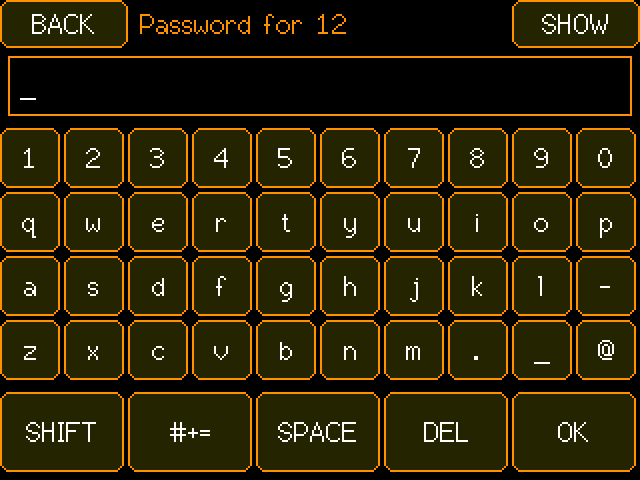
The CYD touch keyboard asking for a WiFi password, with SHIFT, symbols, SPACE, DEL and OK keys
The on-screen keyboard (CYD panel at 2x)
Flashing the firmware

The firmware builds with PlatformIO. Install it (the VS Code extension or the command line), clone the repository, plug the CYD in over USB, find its COM port, and run:

git clone https://github.com/revjmoney/axis-bbs.git
cd axis-bbs
pio run -e cyd -t upload --upload-port COM5

Use your own port name (COM5 on Windows, something like /dev/ttyUSB0 on Linux). The cyd environment is the default, so pio run -t upload does the same. Other environments are covered under headless nodes and building.

NoteYour users, settings and logs live in the internal LittleFS partition. Flashing new firmware over the top keeps them: the partition table keeps LittleFS at the same place on every release.
WiFi on the touchscreen

On first boot (or whenever no saved network is in range) the board opens a touch WiFi picker. It lists the networks it can hear, strongest first. Tap yours, type the password on the on-screen keyboard (it is masked; SHOW reveals it) and press OK. HIDDEN lets you type a network name that does not broadcast, RESCAN looks again and MORE pages the list. The network is saved only after the join works, and the board remembers up to five networks.

Getting started

First-boot setup

Topic
First-boot setup
Area
Getting started
From
Rev. J. Money
To
All
Updated
2026-11-04
Msg
3 of 34

The 6-digit setup PIN, the telnet wizard and your sysop account.

Once it is on your network, the board asks how you want to set the BBS up: ON THIS SCREEN or OVER TELNET.

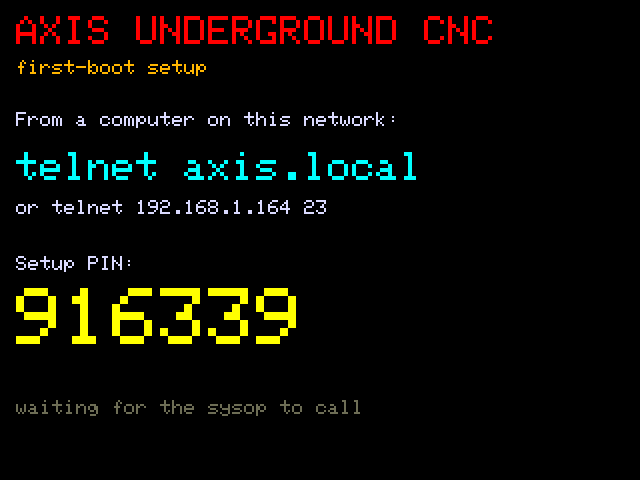
The CYD first-boot setup screen: telnet axis.local and a six digit setup PIN in big yellow numbers
Setup over telnet: the one-time PIN
  • Over telnet is the easy way: the screen shows telnet axis.local, the board's address, and a 6-digit setup PIN. Call in from a computer on the same network, type the PIN, and answer the wizard. Anyone who calls before setup is done only sees "This BBS is being set up" and a PIN prompt.
  • On this screen is reserved for an on-screen wizard. In version 0.51 it still only says the on-screen setup is coming in a later build and offers a way back, so use telnet.
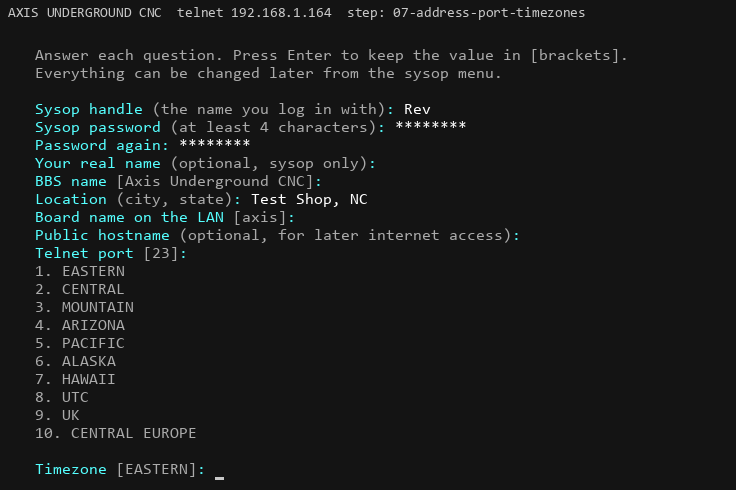
The setup wizard over telnet asking for the sysop handle, password, BBS name, location, board name, port and timezone
The setup wizard over telnet

The wizard asks, in order (press Enter to keep the value in brackets):

Reference table: question, setting, notes (17 rows)
QuestionSettingNotes
Sysop handlesysop_handleThe name you log in with.
Sysop password, twice(stored as a salted hash)At least 4 characters.
Your real namesysop_real_nameOptional, only you see it.
BBS namebbs_nameShown to every caller and passed to doors exactly as typed.
LocationlocationCity, state. Shown on the login screen.
Board name on the LANboard_nameCallers on your network dial <name>.local. Default axis.
Public hostnamepublic_hostOptional: the name callers use from the internet.
No-IP update hostname(board storage)Optional No-IP dynamic DNS: your No-IP host, or all.ddnskey.com for a DDNS key. Enter skips the three No-IP questions.
No-IP username(board storage)Your noip.com login, or the DDNS key's username.
No-IP password(board storage)Never shown, never put in /axis.ini.
Telnet porttelnet_port23 is standard.
TimezonetimezonePick a number from the list of ten zones.
FidoNet addressftn_address99:1/0 is a private test zone.
New user security levelnew_user_security1 to 255.
Daily minutes per callerdaily_minutes1 to 1440. Enforced per call (see time limits).
Idle logoff, minutesidle_minutes1 to 60.
New user passwordNUP (stored as a salted hash)Optional. When set, a caller must know it before the new user application starts; three wrong tries and they're disconnected, logged in the event log. Enter keeps the one already set. Also @NUP on the serial console.

The answers are saved to /axis.ini in internal flash. You can run the wizard again any time from the sysop menu (BBS SETUP, RUN SETUP); nothing changes until the wizard saves.

Your sysop account

The sysop handle and password from the wizard are the main sysop account. Log in with them over telnet and you get "Sysop access": no time limit, every area visible, and the sysop-only commands (the user editor *, forcing a caller into chat, asking voting booth questions). You can also make any caller a sysop later; see sysop promotion. On the board, the LOCAL button logs you in as the sysop without a password.

Getting started

Calling in

Topic
Calling in
Area
Getting started
From
Rev. J. Money
To
All
Updated
2026-11-04
Msg
4 of 34

Terminals, axis.local, and opening the board to the internet.

Callers reach the BBS with a telnet terminal. SyncTERM is the reference terminal and everything is tested with it; other ANSI BBS terminals work too. Set the terminal to 80x25 with a CP437 (IBM PC) font so the block art lines up.

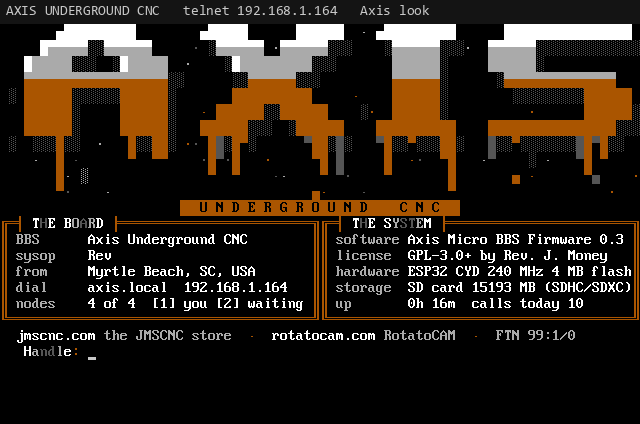
The Axis login screen: a drippy AXIS logo over THE BOARD and THE SYSTEM boxes with BBS name, sysop, location, dial address, nodes, software, license, hardware, storage and uptime
What a caller sees on connect (Axis look)
Dialing on your own network

On the same LAN the board announces itself over mDNS, so callers dial the board name with .local:

syncterm telnet://axis.local
telnet axis.local 23

If a computer cannot resolve .local names, use the board's IP address instead. The board shows it on its activity screen ticker and in SYSTEM on the sysop menu, and callers see it with I (system info).

With a cluster, callers always dial the main board. When every node on the main is busy, it passes the new caller through to the lowest free node on another board, so one address serves the whole system. See multinode and clustering.

Opening it to the internet

The BBS was built for the LAN first. To let callers in from outside, forward a port on your home router to the main board:

  1. Give the main board a fixed address. In your router's DHCP settings, make a DHCP reservation for the board's MAC address so its LAN IP never changes.
  2. Forward a TCP port to that address, port 23 (or whatever telnet_port is). You can forward outside port 23 straight through, or use a different outside port such as 2323 and point it at the board's port 23. A non-standard outside port cuts down on bot traffic.
  3. Tell callers the address. Put your public hostname in public_host; the Oblivion look's front door shows it as the dial address. A changing home IP can be followed with the optional dynamic DNS extra (No-IP, asked by the wizard, or GoDaddy).
Heads upOnly the main board needs a forward. Other boards in the cluster are reached through it.

Only one session can be in a door or a file transfer per board at a time. If a second caller on the same board asks, they are told the door is busy and to try again (or call back, since they may land on a free node).

Callers

The login flow

Topic
The login flow
Area
Callers
From
Rev. J. Money
To
All
Updated
2026-11-04
Msg
5 of 34

Splash, front door, password, bulletin, oneliners, menu.

Every call walks through the same steps. Each one can be skipped or customized.

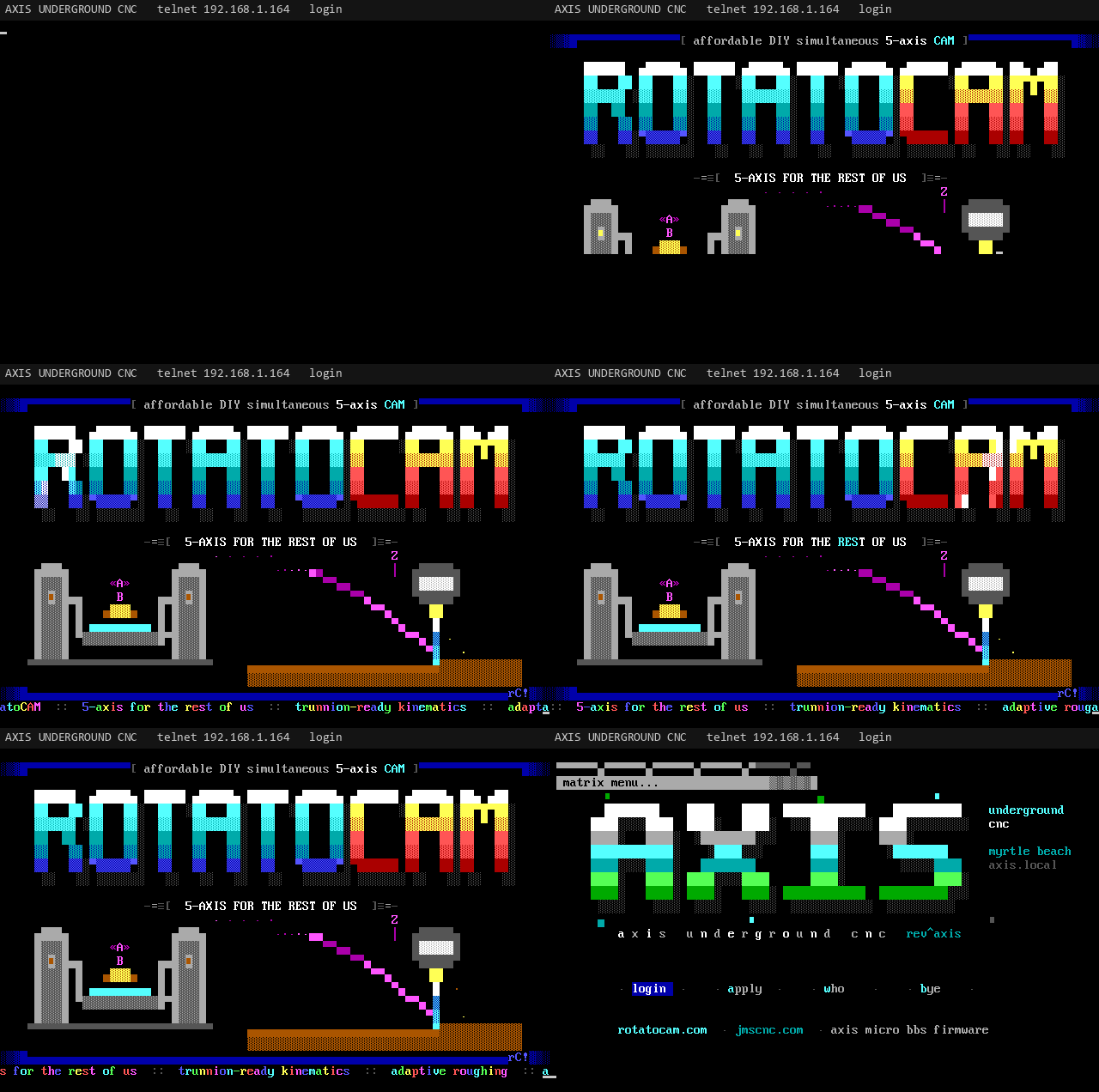
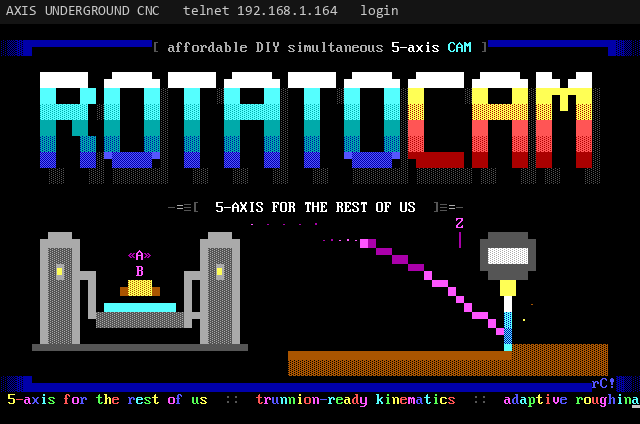
The animated RotatoCAM ANSI splash: the logo, a tool path and a colour-cycling marquee
The RotatoCAM splash (animated)
  1. The RotatoCAM splash. An animated ANSI splash types in like a 9600 baud modem, then plays about five seconds of moving parts (a light sweep on the logo, a tool path, spinning flutes, chips) and a colour-cycling marquee. Any key skips it. Turn it off with login_splash=0.
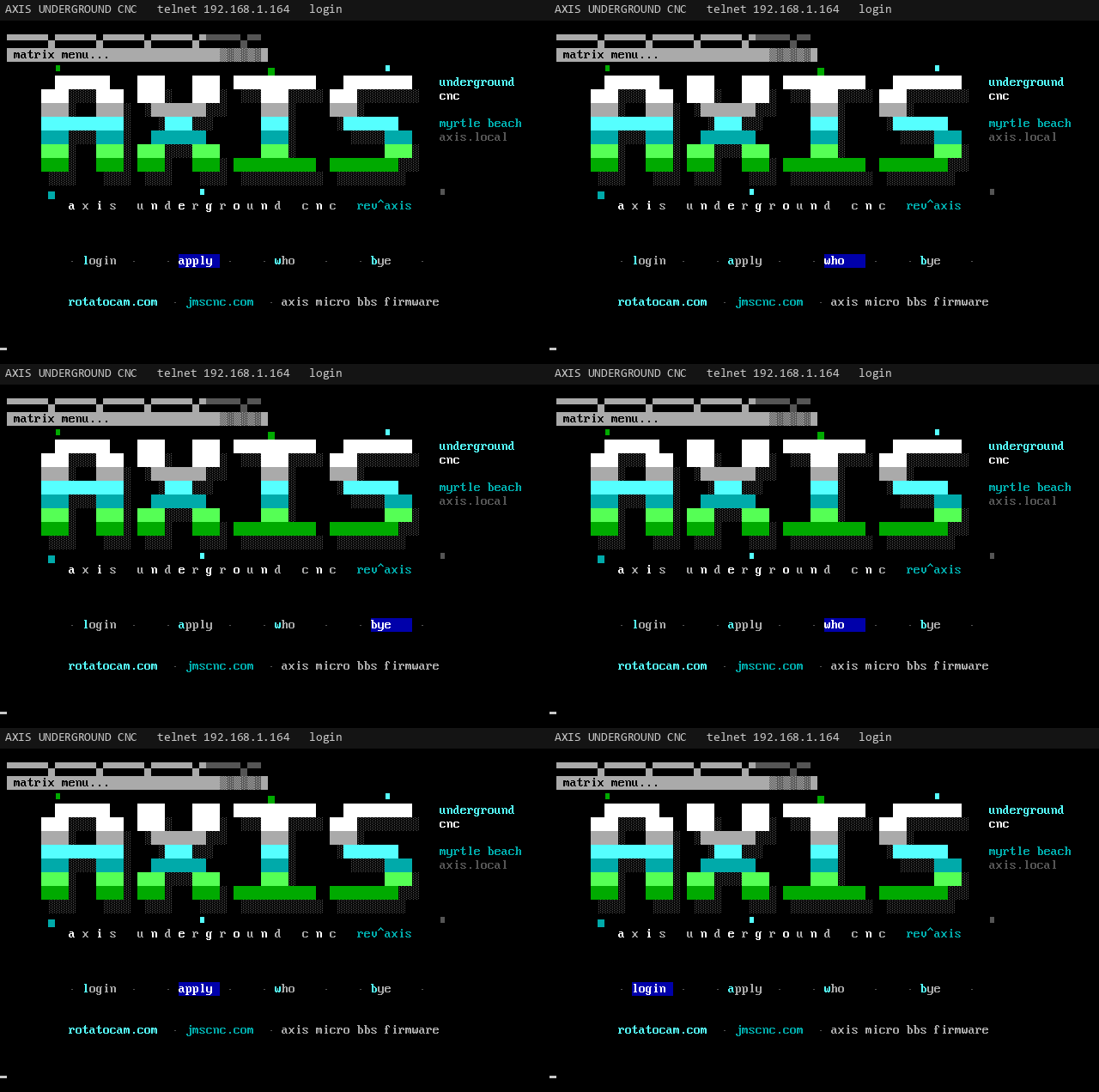
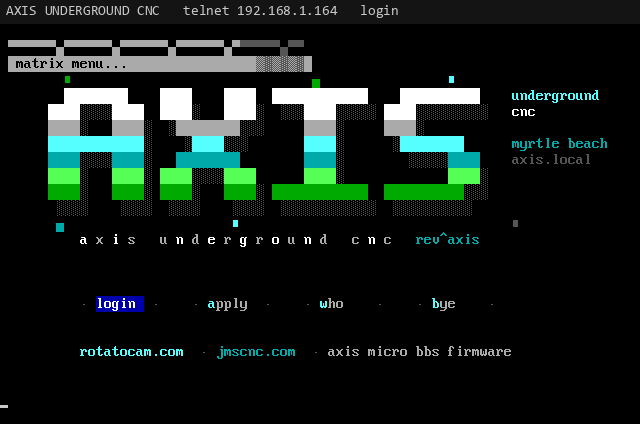
  2. The front door. In the Axis look: the drippy AXIS login screen with THE BOARD and THE SYSTEM boxes, then a Handle: prompt. In the Oblivion look: the matrix with a lightbar over Login, Apply, Who's Online and Goodbye (arrow keys move it, Enter picks, or press the letter).
  3. Handle and password. A known handle asks for its password (masked, three tries, then the call ends). After a wrong password the board ignores typing for 2 seconds, then 4, so guessing is slow. An unknown handle is offered the new user application.
  4. The bulletin. If the theme folder has a BULLETIN.ANS, it shows once, then any key goes on.
  5. Oneliners. The newest ten oneliners, and the offer to add one (up to 60 characters).
  6. The main menu. With "You have N new mail" under it if private mail is waiting, and a random rumor.
The Oblivion look matrix: a lightbar moving over login, apply, who and bye on the AXIS artpack screen
The Oblivion matrix with its lightbar (animated)
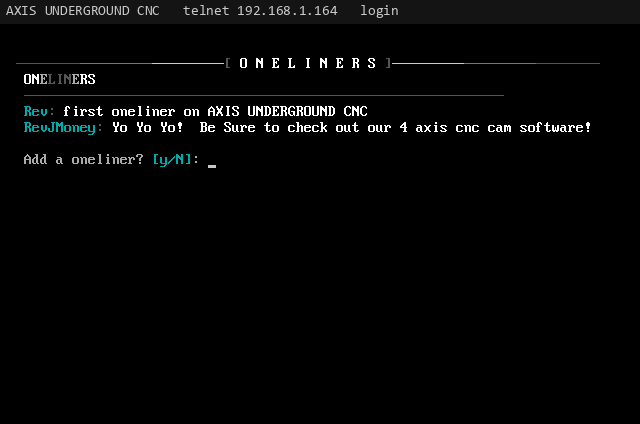
The oneliners wall after login: the newest lines with each caller's handle, and the add a oneliner prompt
Oneliners after login

Validated callers go straight to the menu. A caller whose application is waiting gets the PENDING VERIFICATION screen and a short menu instead: Status, Credits, Goodbye. A denied caller is told so and disconnected.

Two timers run on every call: the idle logoff (idle_minutes, default 5) and the call time limit (daily_minutes, default 60). See time limits.

Callers

Themes

Topic
Themes
Area
Callers
From
Rev. J. Money
To
All
Updated
2026-11-04
Msg
7 of 34

The Axis, Oblivion and Iniquity looks, and the THEME button.

The whole board wears one of three looks, set by theme. Every caller on every node sees the same one.

The file area list in the Axis look with a drippy FILES title and orange numbers
Axis look
Looktheme=Style
Axis (default)axisBlack, grey, orange and white. Big half-block drippy titles with acid drips, headings that fade white to grey, keys in orange inside grey brackets, orange frames.
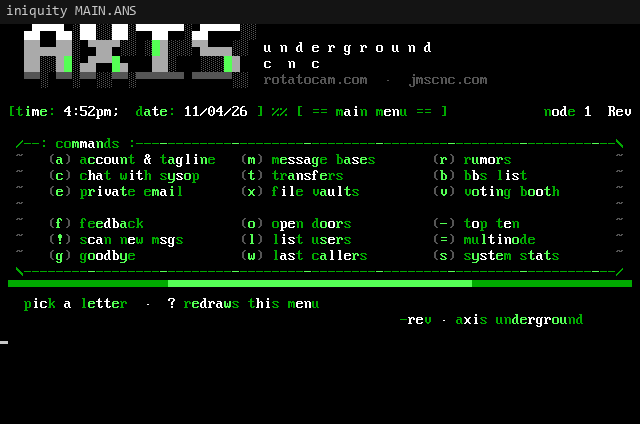
IniquityiniquityGreen and grey in the style of the 90s Iniquity BBS (our own drawing): grey block titles with bright green pixels set in them, thin /--: :--\ frames, [time: ..; date: ..] status lines and text that fades from dark green at its ends to bright in its middle. Uses the Oblivion layout and keys.
OblivionoblivionDark grey and cyan in the style of the stock Oblivion/2 screens (drawn from scratch, no O/2 art copied): the matrix front door with a lightbar, spaced title bars, double-line boxes, a boxed two-column main menu and the O/2 bracket prompt [Main Menu][Node 1] :.

Each look has a full set of screens in its theme folder on the card (/sd/themes/axis/, /oblivion/, /iniquity/): a main menu, a matrix front door (oblivion and iniquity), and a header for every section (MSGS, FILES, DOORS, CHAT, WHO, NODES, ACCOUNT, EMAIL, ONELINER, BBSLIST, TOPTEN .ANS). A section shows its header screen when the card has one, its built-in title when it doesn't. The same screens are packed as AXIS-02.ZIP (iniquity), AXIS-03.ZIP (axis) and AXIS-04.ZIP (oblivion) in ANSI Packs. They are made by tools/art/axis_packs.py.

The Iniquity look main menu: grey AXIS block letters with green pixels, a green status line and a framed command list
Iniquity look main menu
The Axis look main menu in yellow and orange
Axis look main menu
The Oblivion look main menu in cyan
Oblivion look main menu
The Oblivion look front door built from the AXIS artpack screen with the login lightbar
Oblivion look with the AXIS artpack
Switching the look
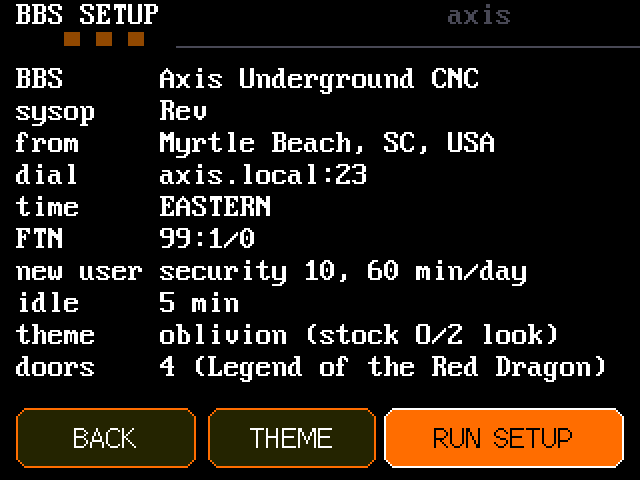
  • On the board: tap the activity screen, open BBS SETUP and tap THEME. Each tap moves to the next look: axis, oblivion, iniquity.
  • On the serial console: @SET theme=iniquity, theme=oblivion or theme=axis.
  • In /axis.ini: theme=oblivion. Any value other than oblivion or iniquity means axis.

The main board sends the change to every board in the cluster at once. The next screen each caller gets is in the new look.

BBS SETUP on the CYD showing BBS name, sysop, location, dial, time, FTN, new user, idle, theme and doors, with BACK, THEME and RUN SETUP buttons
BBS SETUP with the THEME button
Callers

Theme art and codes

Topic
Theme art and codes
Area
Callers
From
Rev. J. Money
To
All
Updated
2026-11-04
Msg
8 of 34

Your own ANSI screens, pipe colours, MCI codes and O/2 letters.

Put ANSI screens on the main board's SD card under /sd/themes/<theme>/ (so /sd/themes/oblivion/ or /sd/themes/axis/). Boards without a card fetch them from the main over the link, so every node looks the same.

FileUsed inReplaces
MATRIX.ANSOblivion lookThe stock matrix front door. If it carries O/2 pulldown marks, the lightbar is drawn at them.
MAIN.ANSOblivion lookThe stock main menu. While it is up, the keys follow the stock Oblivion/2 letters (below).
BULLETIN.ANSEither lookShown once after login, before the oneliners.

Each screen is read up to 7 KB (7168 bytes) and stops at a SAUCE record. Save your art as plain CP437 ANSI from PabloDraw, Moebius or TheDraw.

Pipe colour codes

Inside theme screens, pipe codes set colours the way Renegade and Oblivion/2 screens do:

CodeColour
|00 to |07Text: black, blue, green, cyan, red, magenta, brown, light grey
|08 to |15Bright text: dark grey, light blue, light green, light cyan, light red, light magenta, yellow, white
|16 to |23Background: black, blue, green, cyan, red, magenta, brown, grey

MCI codes

These are replaced with live values when the screen is sent:

Reference table: code, becomes (6 rows)
CodeBecomes
%UNThe caller's handle
%BNThe BBS name (bbs_name)
%SNThe sysop's handle
%NNThe caller's node number
%DT, %TMThe board's date and time
%VNThe firmware version

O/2 pulldown marks in MATRIX.ANS

Oblivion/2 artpacks mark where the matrix menu goes with |01%01, |02%02, |03%03 and |04%04. The board renders your art in its own 80x25 terminal emulator, finds the four marks, blanks them, and draws the lightbar there with short labels: login, apply, who, bye. Left and right arrows move it as well as up and down. If any of the four marks is missing, the stock lightbar layout is used.

Stock Oblivion/2 key letters

Artpack menus are drawn for the stock O/2 keys, so while a MAIN.ANS is up the board maps them onto its own commands. ? (redraw the menu) and * (sysop user editor) keep their meaning. Any other key answers "Not on this board yet."

  • a account and tagline
  • b BBS list
  • c chat (teleconference)
  • e email
  • f feedback (page the sysop)
  • g goodbye
  • k account
  • l list users (who's online)
  • m messages
  • o open doors
  • r rumors
  • s system stats (info)
  • t transfers (file areas)
  • v voting booth
  • w recent callers
  • x file vaults
  • y your user stats (account)
  • + account
  • = multinode
  • . credits
  • / goodbye
  • ! new message scan
  • - top ten

The AXIS artpack tool

tools/art/o2_style.py draws original screens in the 90s Oblivion/2 artpack style (grey label bar, chunky letters fading white to cyan to green, a light shadow, acid speckle). It writes MATRIX.ANS (with the pulldown marks) and MAIN.ANS for /sd/themes/oblivion/, plus ROTATO.ANS and AXISNFO.ANS. These make up AXIS artpack #1, AXIS-01.ZIP in the ANSI Packs area.

python tools/art/o2_style.py out
# then copy out/MATRIX.ANS and out/MAIN.ANS to /sd/themes/oblivion/ on the main board's card
Callers

File areas

Topic
File areas
Area
Callers
From
Rev. J. Money
To
All
Updated
2026-11-04
Msg
9 of 34

Areas on the SD card, FILES.BBS and browsing.

The file areas live on the main board's microSD card. Press F at the main menu. Without a card the file areas say they are offline; boards in a cluster without a card browse and transfer the main's files over the link.

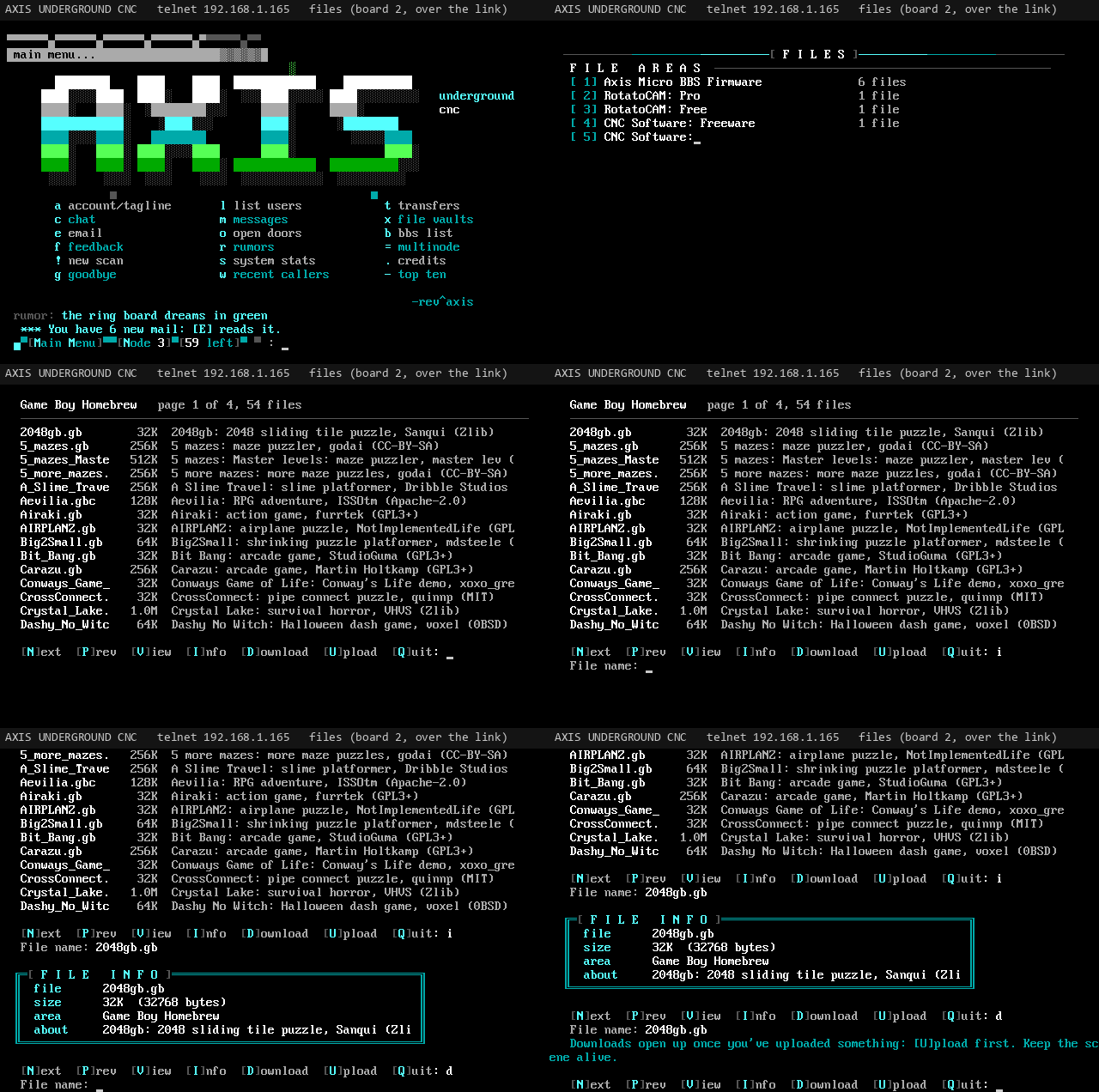
Animated tour of the file areas: the area list, a file list page and file info
Browsing the file areas (animated)
The file area list with numbered areas and a file count for each
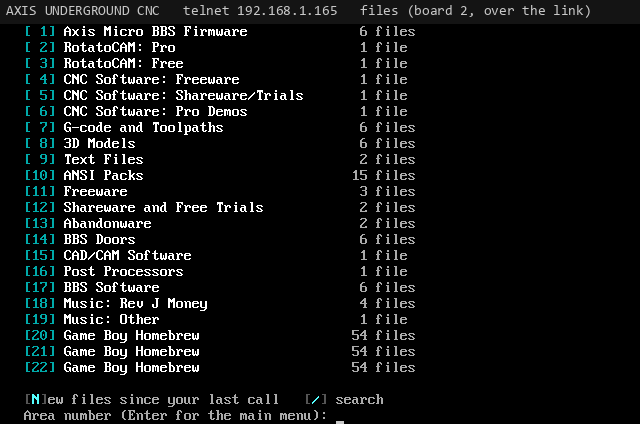
The area list with file counts
Areas and the SD card layout

Each area is a folder: /sd/files/<id>/, where the id comes from the area's setting. The board makes the folders for every listed area when it starts. Inside each folder, an optional FILES.BBS gives the descriptions, one file per line: the file name, a space, then the description.

/sd/files/gcode/FILES.BBS
SPIRAL.NC     Spiral flute toolpath for a 4th axis, 1/4 inch end mill
LOGO.NC       AXIS logo, 2D pocket, 3 mm deep

FILES.BBS is optional: files in the folder without a line still show, after the listed ones, with no description.

Areas are set with areaN=id|name, areaN=id|name|level or areaN=id|name|level|m (m: mirrored onto two SD cards when the cluster has them; see SD card clustering). They are sorted by the number N, and a repeated number replaces the earlier one, so @SET area0=new|New Uploads adds an area at the top. The optional level is the lowest security level that can see the area at all; callers below it never see it (the sysop sees everything). If no areaN lines are set, the default list is used:

Reference table: id, name (19 rows)
idName
axisAxis Micro BBS Firmware
rotatocam-proRotatoCAM: Pro
rotatocam-freeRotatoCAM: Free
cnc-freeCNC Software: Freeware
cnc-shareCNC Software: Shareware/Trials
cnc-demosCNC Software: Pro Demos
gcodeG-code and Toolpaths
models3D Models
textText Files
ansiANSI Packs (also what the ANSI Pack Viewer door shows)
freewareFreeware
sharewareShareware and Free Trials
abandonwareAbandonware
doorsBBS Doors
cadcamCAD/CAM Software
postsPost Processors
bbsBBS Software
music-revMusic: Rev J Money
music-otherMusic: Other
Browsing

At the area list, type an area number and Enter, or:

  • N new files since your last call
  • / search every area
  • Enter back to the main menu

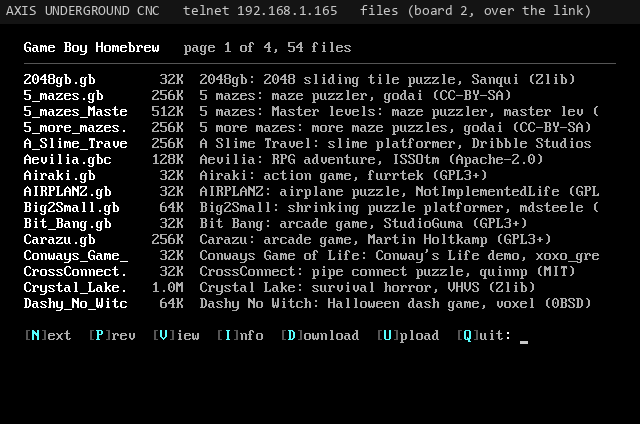
Inside an area, files list 15 to a page with their size and description:

  • N next page
  • P previous page
  • V view a text file
  • I info on a file
  • D download
  • U upload
  • Q back to the area list

V shows text files (TXT, NFO, DIZ, ANS, ASC, BBS, DOC, MD, 1ST) a screen at a time.

A page of files in one area with names, sizes and descriptions and the N P V I D U Q keys
A file list page
New files since your last call, grouped by area
New files since your last call
Callers

File info and search

Topic
File info and search
Area
Callers
From
Rev. J. Money
To
All
Updated
2026-11-04
Msg
10 of 34

Archive listings, search every area, new files.

I shows a file's name, size, area and description. For an archive it also lists what is inside, read straight from the archive headers: every entry with its size, packed size, method, date and CRC (the first 40 of a long pack, then the count), plus FILE_ID.DIZ when there is one. Supported formats: ZIP, RAR (1.5 to 4), RAR 5, ARJ, TAR and GZIP. Info is open to everyone, even before they have earned downloads.

File info for one file: name, size, area and description
File info
A ZIP listing from file info: every entry with size, packed size, method, date and CRC
The archive listing for a ZIP
Callers

Downloads and uploads

Topic
Downloads and uploads
Area
Callers
From
Rev. J. Money
To
All
Updated
2026-11-04
Msg
11 of 34

ZMODEM and XMODEM, the upload checker, the download gate and ratio.

Pick D, type the file name, then the protocol: Z ZMODEM, X XMODEM (CRC) or K XMODEM-1K. A themed window shows the file, size, protocol and an estimated time; start your terminal's download and press Ctrl-X five times to cancel. A second window reports the bytes moved and the speed. ZMODEM is by far the fastest (around 247 KB/s measured on the board over WiFi), and the CYD shows a live progress window during the transfer.

For U, describe the file in one line (Enter cancels), pick the protocol and start your terminal's upload. ZMODEM sends the file name; for XMODEM the board asks what to save it as. Uploads get a clean name, never overwrite an existing file, and land in one piece (written to a temporary file, then renamed). The description goes into the area's FILES.BBS.

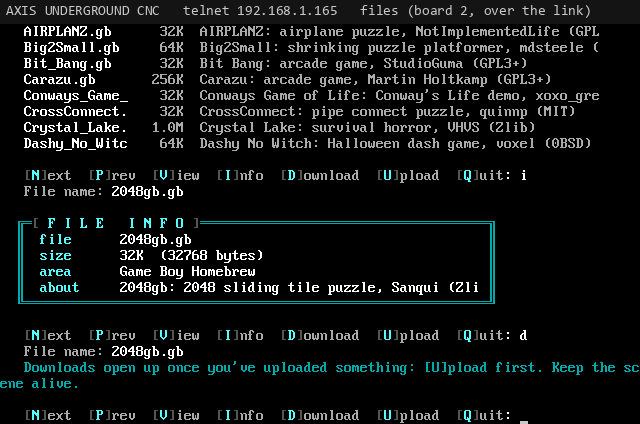
A new caller trying to download and being told downloads open up once they have uploaded something
The download gate

The upload processor

Every ZIP upload is checked before it is accepted: the board unpacks it, tests every entry's CRC-32, adds or replaces an AXISBBS.NFO (board name, telnet address, location, software, rotatocam.com and jmscnc.com) and writes a clean standard ZIP in place. Damaged, password-protected and old-method (shrink or implode) ZIPs are rejected and removed with the reason shown. Other file types are kept as uploaded. The caller watches a PROCESSING UPLOAD window with a live bar, and the description reaches FILES.BBS only after the check passes.

The download gate and ratio

Downloads are earned. A new caller can browse the lists and use Info, but Download and View wait until they have uploaded something. The sysop can wave this for one caller with FREE DL (on the CYD under CALLER, ACCESS, or with L in the telnet user editor).

On top of that you can set a ratio: with ratio=3 and free_kb=512, a caller can download up to three times the bytes they have uploaded, plus a 512 KB allowance. ratio=0 (the default) means no ratio. FREE DL skips the ratio too. Upload and download bytes are counted on every account and shown in the user editor and on the node detail screen.

Callers

Message areas

Topic
Message areas
Area
Callers
From
Rev. J. Money
To
All
Updated
2026-11-04
Msg
12 of 34

Reading, posting, quoting, taglines and the new scan.

Press M for the message areas. The main board keeps one message file per area (on the SD card, or internal flash without one); other boards read and post over the link, so every caller sees the same messages.

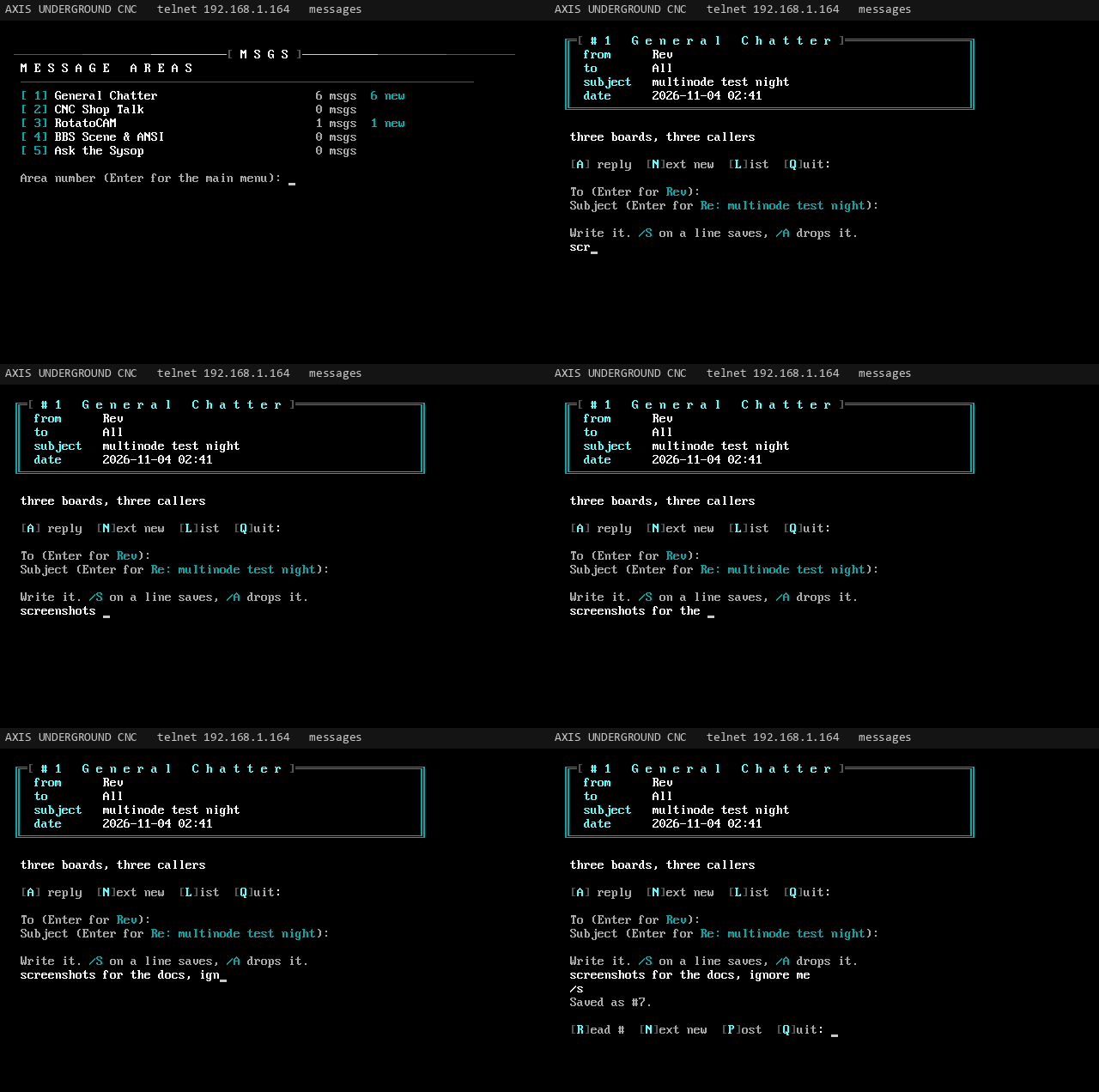
Animated tour of the message areas: area list, message list and reading a message
Reading messages (animated)
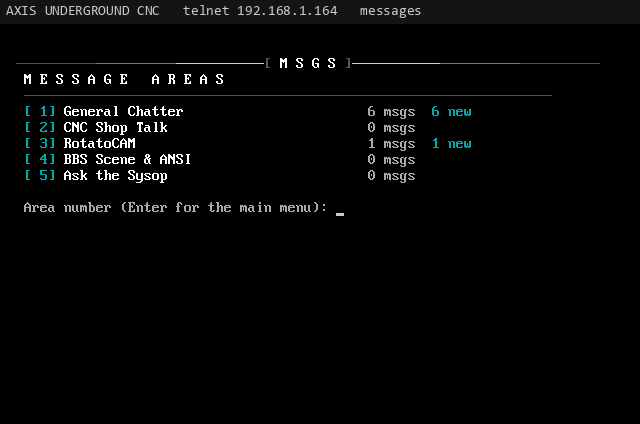
The message area list with message counts and new counts
Message areas with new counts
Areas

Areas are set with msgareaN=id|name or msgareaN=id|name|level, with the same numbering and level rules as file areas. The 16 defaults: General Chatter (general), CNC Shop Talk (cnc), Routers & Gantries (routers), Mills & Lathes (mills), 4th & 5th Axis (rotary), CAM & G-code (cam), Controllers & Electronics (controls), Tooling, Feeds & Speeds (tooling), Workholding & Fixtures (workholding), Lasers, Plasma & 3D Printers (lasers), Show & Tell (showtell), Crashes & Fails (crashes), Buy, Sell & Trade (trade), RotatoCAM (rotatocam), BBS Scene & ANSI (scene) and Ask the Sysop (sysop).

Reading and posting

Type an area number to open it. The newest page of headers shows, with a * beside messages you have not read. The board remembers where each caller got to in every area.

  • R read a message by number
  • N next new message
  • P post a new message
  • A reply to the one you are reading
  • L list the headers again
  • Q back to the areas (Enter there: main menu)

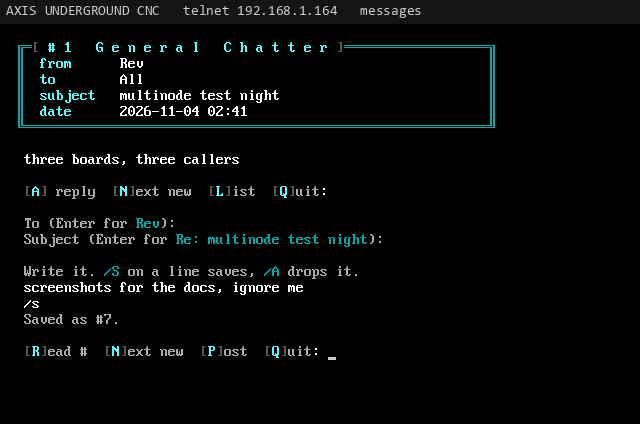
Posting asks who it is to (Enter for All) and a subject, then you type the body a line at a time (up to 76 characters a line, 99 lines). /S on a line by itself saves, /A drops it.

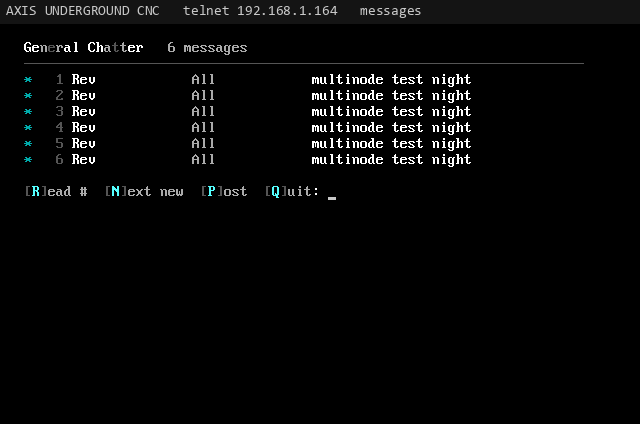
A message list with numbers, from, to and subject, unread ones starred
The message list
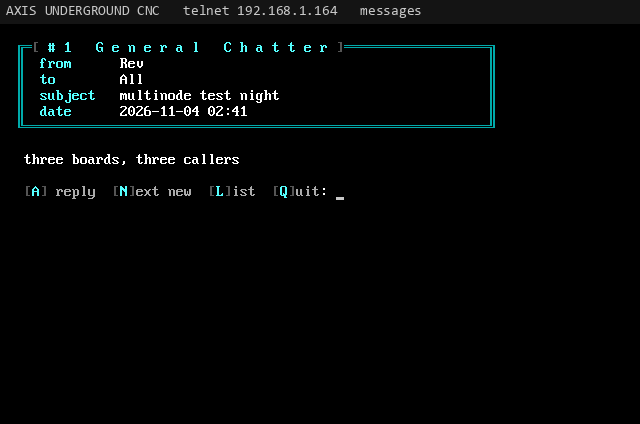
Reading one message with its header and body
Reading a message
Quoting and taglines

A reply starts with up to 8 lines of the original, each with the writer's initials in front, the way old boards did it: SK> .... The subject carries over (Enter keeps it). If you have a tagline set in user settings, it signs every message and email you write: ... your tagline.

Writing a reply with the original quoted under the writer's initials
A quoted reply
New message scan

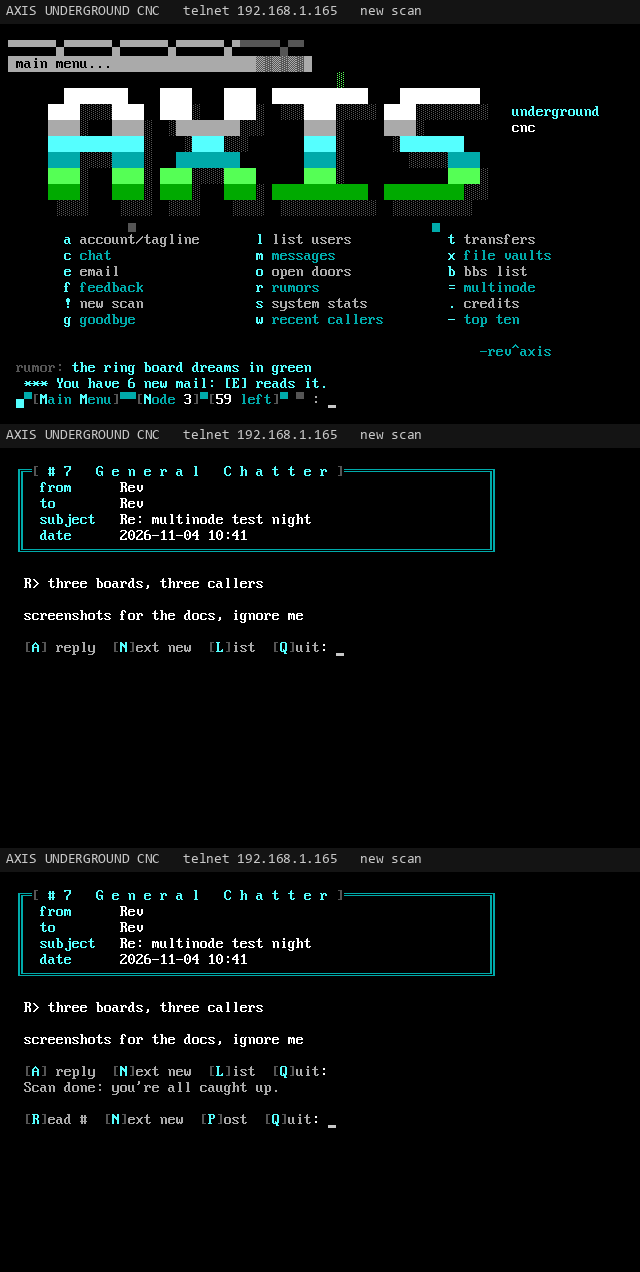
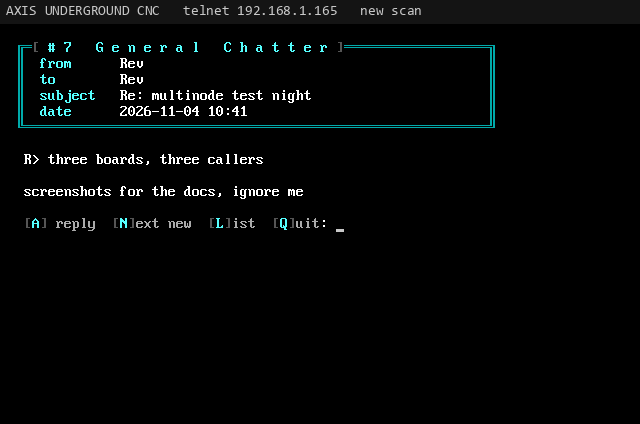
S at the main menu (! with the O/2 letters) walks through every message area open to you, one new message after another, then says you are all caught up. If nothing is new anywhere it tells you right away.

Animated new message scan moving through new messages in several areas
The new scan (animated)
The new scan showing one new message
One stop in the new scan
Callers

Private email

Topic
Private email
Area
Callers
From
Rev. J. Money
To
All
Updated
2026-11-04
Msg
13 of 34

Mail between callers, with a new mail notice at login.

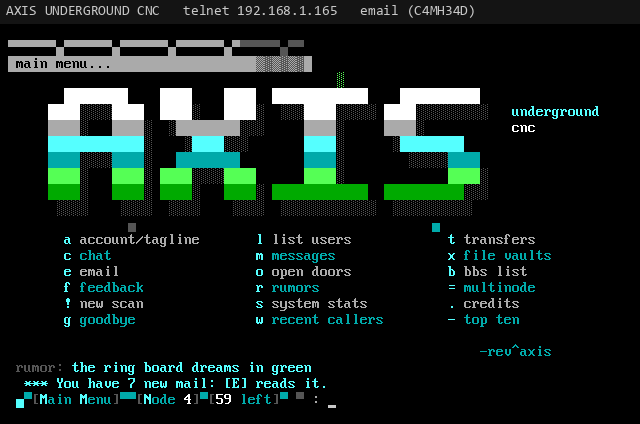
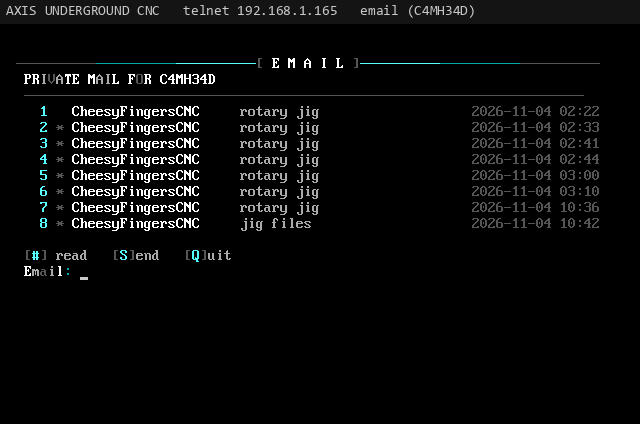
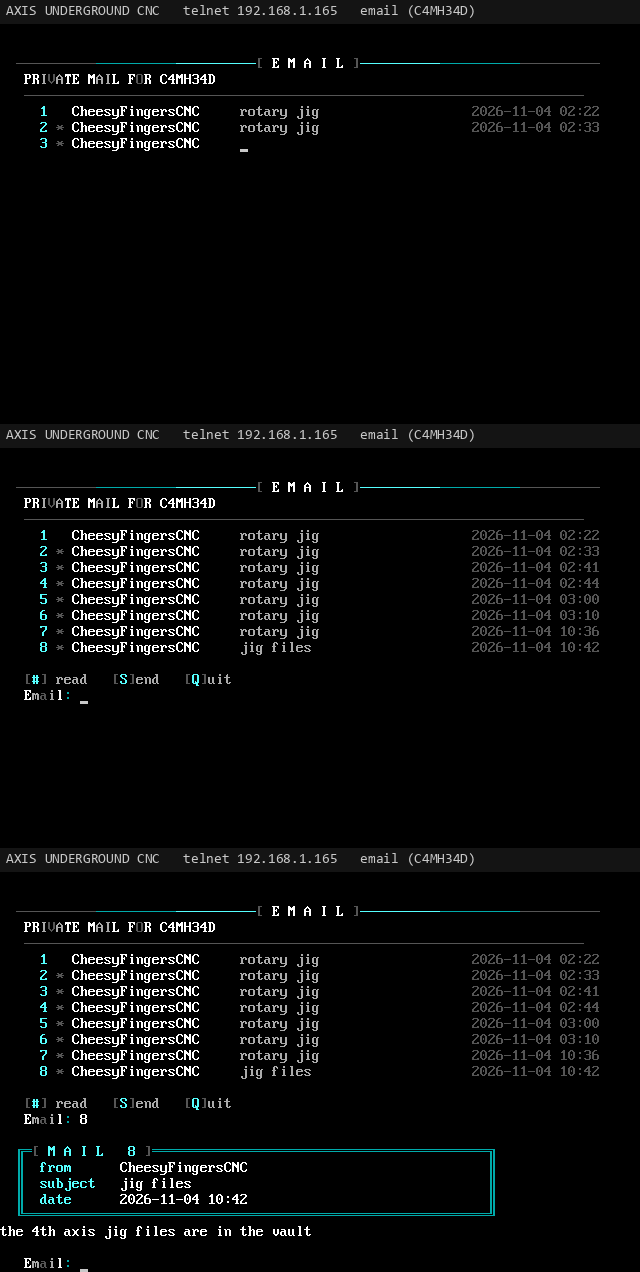
E opens your mailbox. Email is kept in a hidden area of the same message store, and only the addressee can read it. At login, "You have N new mail" shows under the menu.

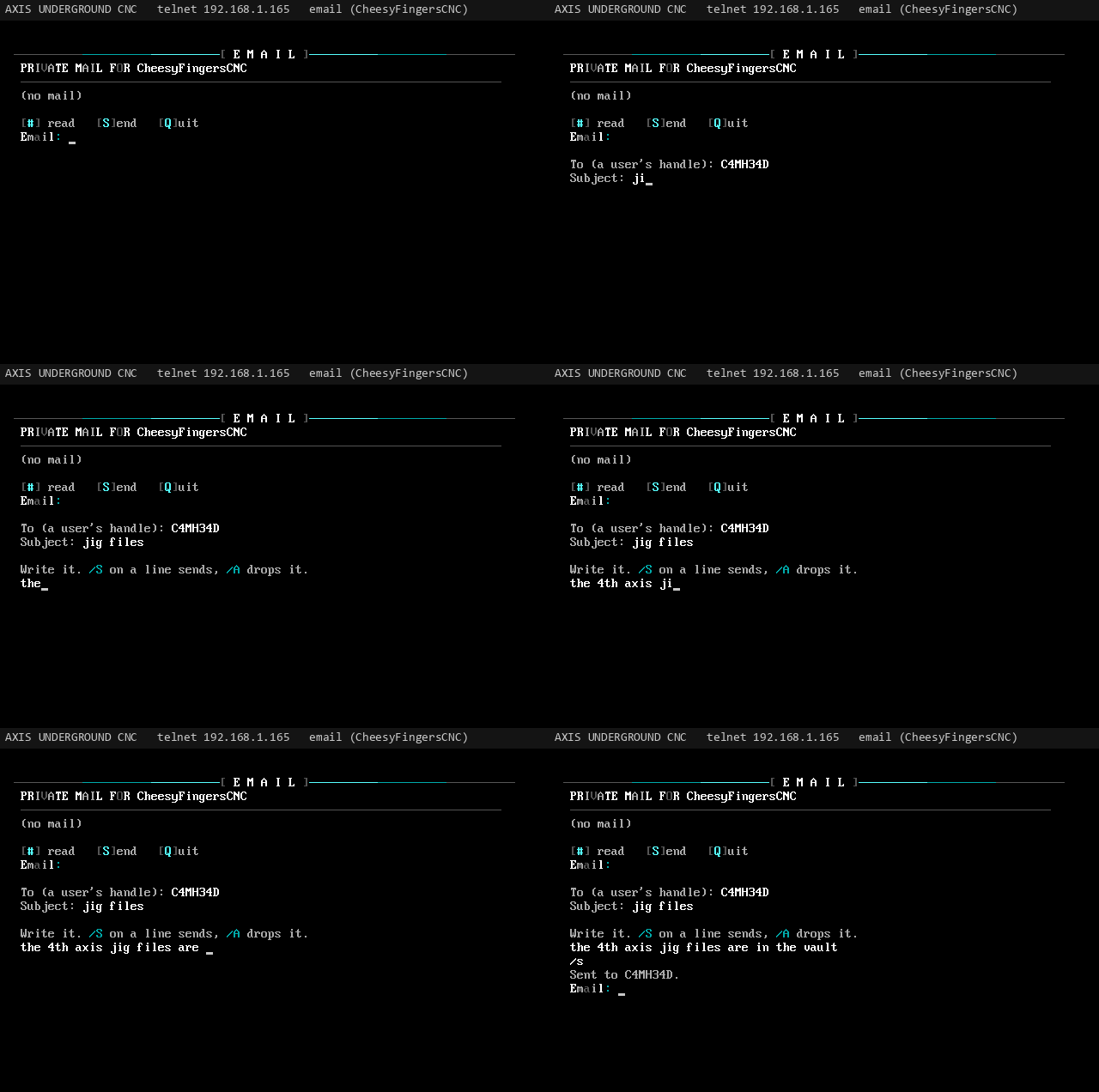
Animated: sending a private email to another caller
Sending mail (animated)
  • # read mail by number
  • S send mail
  • Q back to the main menu

To send, type a user's handle (any case; the sysop's handle works too), a subject, and the body (up to 60 lines). /S sends, /A drops it.

The You have new mail notice under the main menu
The new mail notice at login
The private mailbox listing mail with sender, subject and date
The mailbox
Animated: opening and reading a private email
Reading mail (animated)
Callers

User settings

Topic
User settings
Area
Callers
From
Rev. J. Money
To
All
Updated
2026-11-04
Msg
14 of 34

A caller's own account: name, location, tagline, password.

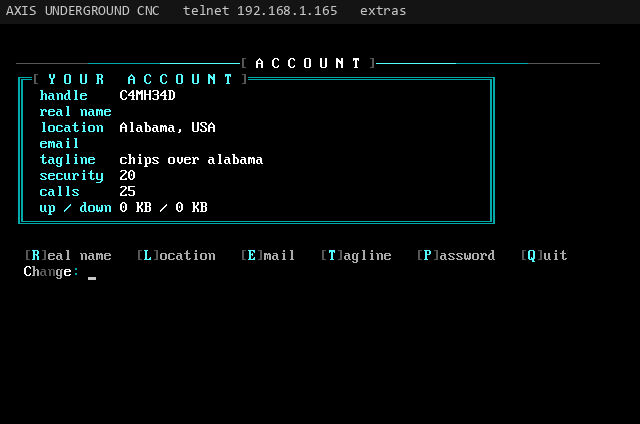
U shows a caller's own account (handle, real name, location, email, tagline, security, calls, uploads and downloads) and lets them change it. Changes are saved at once and synced to every board.

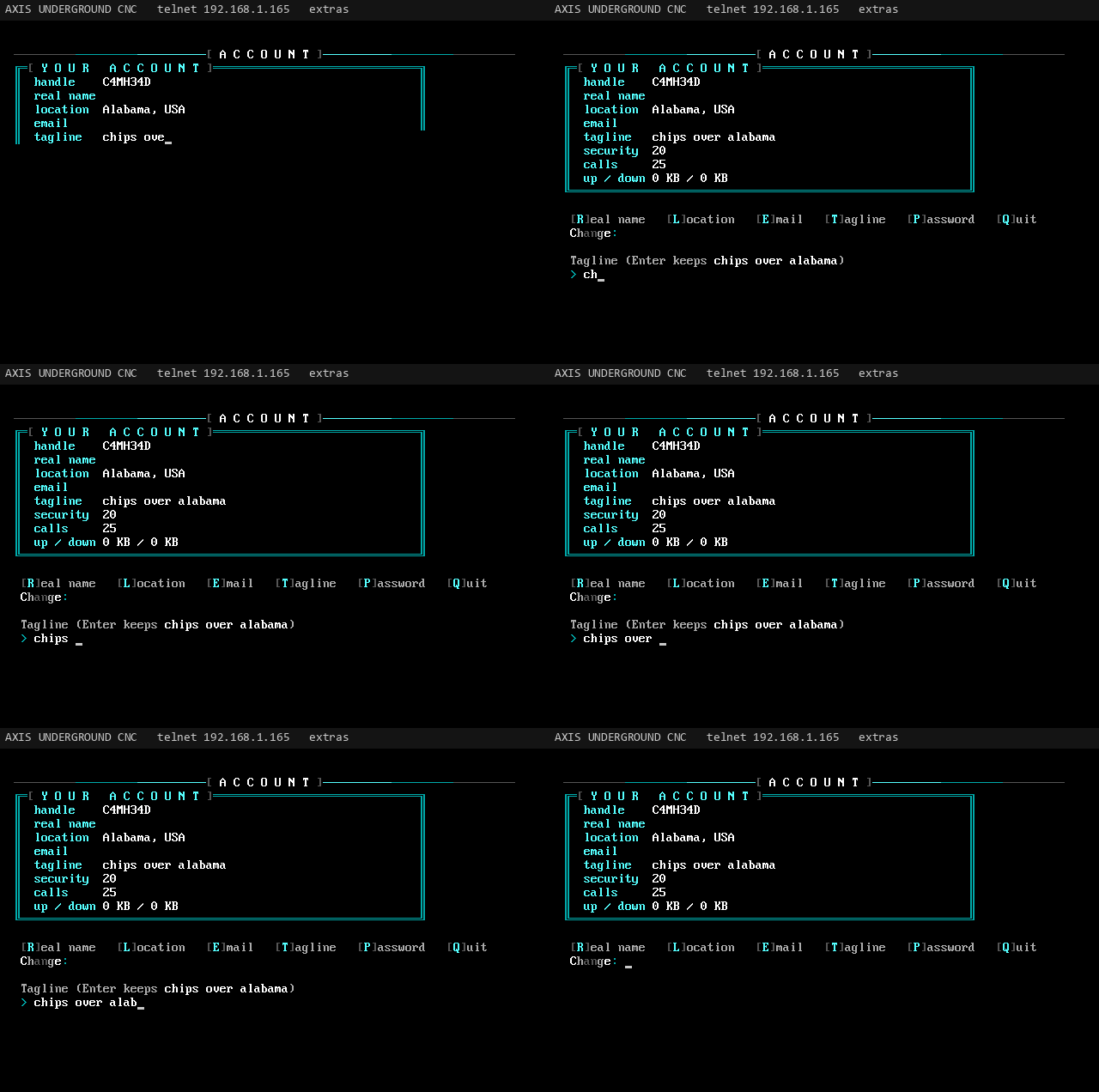
Animated user settings: changing the tagline
Setting a tagline (animated)
  • R real name
  • L location
  • E email
  • T tagline (60 characters)
  • P password: old one first, new one twice, 6+ characters
  • Q back
The user settings screen with handle, name, location, email, tagline, security and stats
User settings
Community

Community

Topic
Community
Area
Community
From
Rev. J. Money
To
All
Updated
2026-11-04
Msg
15 of 34

Oneliners, rumors, BBS list, top ten, voting booth, last callers.

The scene features. The main board keeps all of these in its internal flash and the other boards read and add to them over the link.

The oneliners wall
The oneliners wall
Oneliners

After login the newest 10 oneliners show and the caller may add one (60 characters). The board keeps the newest 20. O at the main menu brings the wall back up.

Rumors

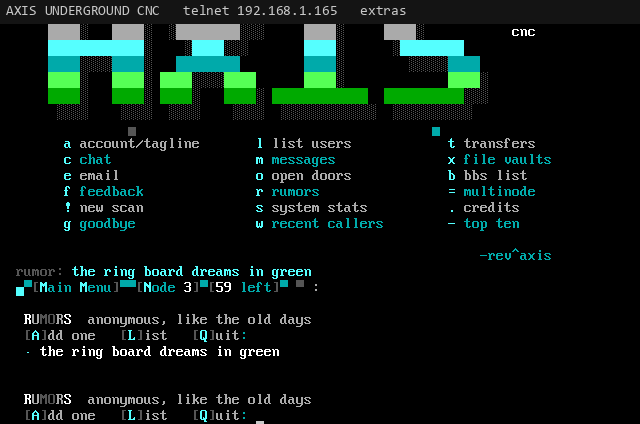
Anonymous one-liners, like the old days. R opens them: A adds one (70 characters, nobody sees who wrote it), L lists the newest 15, Q quits. A random rumor shows above the main menu prompt.

The rumors list with anonymous lines
Rumors
BBS list

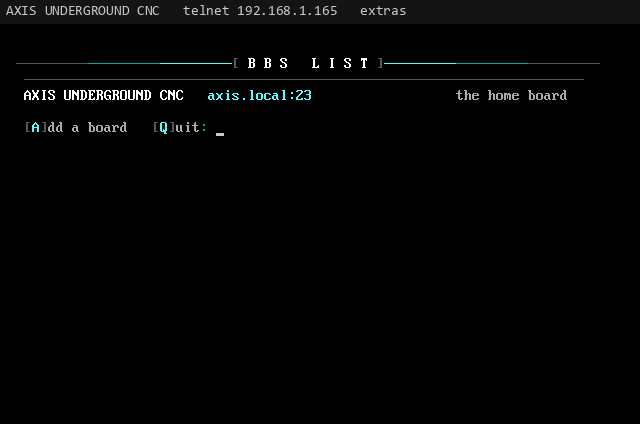
B shows the boards your callers call: name, address and a few words about each. A adds one (name, address as host:port, about it), Q quits. The list and the rumors keep 50 lines each.

The BBS list with board names, addresses and descriptions
The BBS list
Top ten

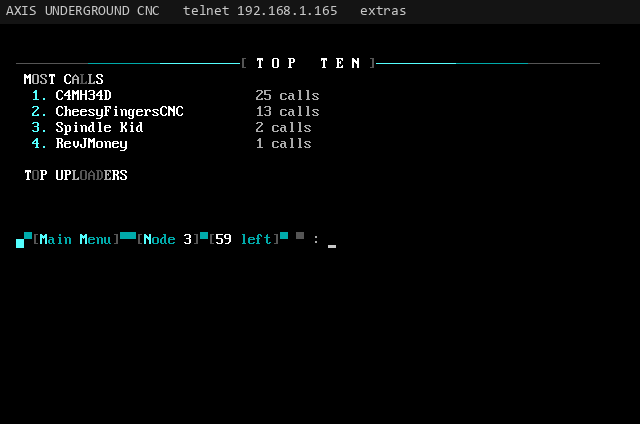
K ranks validated callers two ways: most calls, and top uploaders by kilobytes.

Top ten lists: most calls and top uploaders
Top ten
Voting booth

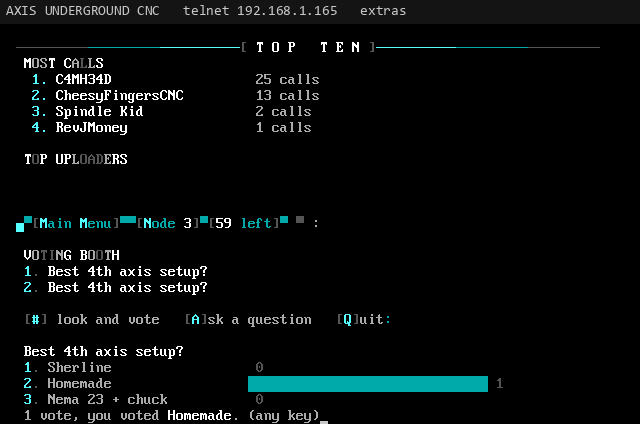
V lists the questions (up to nine shown). Type a question's number to see the tallies with bars and cast your vote; each caller votes once per question. Only the sysop can ask: A, type the question, then the choices one per line (2 to 6), and an empty line to finish.

A voting booth question with choices, bars and vote counts
The voting booth
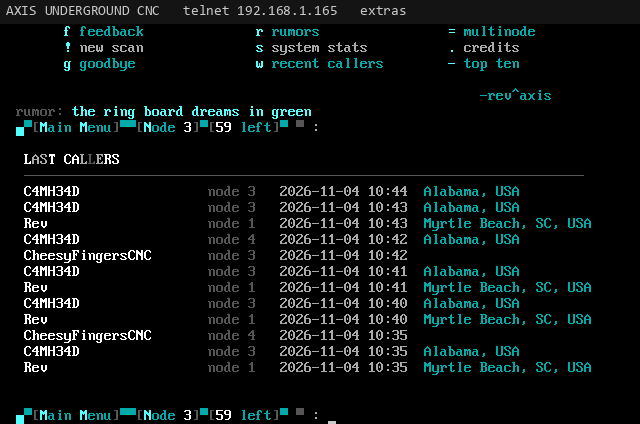
Last callers

Every login goes on a list of the newest 20 (handle, node, time, location). L shows the newest 12, newest first (w with the O/2 letters).

The last callers list with handle, node, time and location
Last callers
Community

Rumors list

Topic
Rumors list
Area
Community
From
Rev. J. Money
To
All
Updated
2026-11-04
Msg
16 of 34

Every silly CNC rumor on the board, and how to add yours.

These are the rumors on the AXIS UNDERGROUND CNC board, one line each, the way callers see them under the main menu. On the board, press R at the main menu and A to add your own (70 characters, anonymous). The landing page shows a random one on every visit.

153 rumors on file.

  • measure twice, cut once, scrap it anyway, blame the endmill
  • the first part off a new program is always a paperweight
  • close enough for government work. the government disagrees.
  • there's no place like G28 X0 Y0 Z0
  • a machinist is an engineer who can find the parts bin
  • the spoilboard has more cuts in it than the project ever will
  • someone zeroed Z on the clamp again. the clamp lost.
  • rumor: the sysop's 4th axis has never once crashed. lies.
  • feeds and speeds tables are suggestions, like speed limits
  • chips or it didn't happen
  • your tool isn't dull, it's experienced
  • the shop vac has eaten more endmills than the machine has broken
  • it's not a mistake, it's a prototype
  • the second part is perfect. the customer wanted forty.
  • "it'll only take five minutes" was said 9 hours ago
  • every collet nut in the shop is the wrong size but one
  • dead nuts on the first try means you measured wrong
  • the coolant has achieved sentience and it smells like it
  • nobody has ever found the 1/8 inch collet when they needed it
  • a tenth is a tenth until it's the last tenth
  • the e-stop is the most used button on the machine
  • somewhere a 1/32 endmill just snapped and nobody heard it
  • your toolpath looked great in the simulator. so did mine.
  • the gantry is square. the gantry has never been square.
  • real machinists sweep the floor with the part they just scrapped
  • the longest job always runs out of filament at 98 percent
  • air cutting: the safest machining there is
  • climb vs conventional: the forums are still arguing
  • the cat sat on the jog pendant. the cat now owns the shop.
  • G0 Z-1. we don't talk about what happened next.
  • one more pass. it's always one more pass.
  • rumor has it the sysop names every endmill. RIP Kevin.
  • a dial indicator never lies. the guy reading it might.
  • the work offset was right. the program was in inches.
  • metric vs imperial: the only war with no survivors
  • step over 40 percent? bold. we respect it.
  • the deburring is where the fingers go to bleed
  • the machine isn't loud. you're just not wearing ear muffs.
  • probe first, crash later
  • rumor: the AXIS board was milled on a router made of other routers
  • the fixture took 3 days. the part took 4 minutes.
  • blue tape and superglue: the original workholding
  • you can never have too many clamps. you can have too few.
  • a sharp tool cuts. a dull tool rubs. a cheap tool screams.
  • the chip load calculator says one thing, the noise says another
  • it was square when it left here
  • the drawing says plus or minus nothing. the drawing lies.
  • the tolerances are tight but the budget is loose
  • the boss said make it to the print. the print is a napkin.
  • "can you just add a little radius there?" said every designer ever
  • measure with a micrometer, mark with chalk, cut with an axe
  • the spindle warm up is the most relaxing three minutes of the day
  • dust collection: moving the mess from the floor to the air
  • somebody touched the zero button. we will find them.
  • rumor: RotatoCAM toolpaths are rendered by tiny shop gnomes
  • a 4th axis is just a lathe that went to college
  • your CAM software crashed? that's the CAM's way of saying no.
  • the post processor is held together by hope and semicolons
  • when in doubt, slow the feed down. when in more doubt, go home.
  • the wrong stock size is the right stock size if you believe
  • this job is a quick one. famous last words, part 4,293.
  • rumor: the sysop's shop has never once been clean
  • a dull V-bit will still sign your name. badly.
  • endmills are consumables. the wallet is too.
  • the machine knows when the customer is watching
  • running in the dark? the lights went out to save the chips.
  • there are two kinds of operators: crashed, and about to crash
  • the vise jaws have more history than the history channel
  • it cut perfect yesterday. it's the same file. it's not perfect.
  • rumor: a 9600 baud modem once ran a CNC. it's still on the first line.
  • tool length offset: the number you forget exactly once a week
  • facing cut first, questions later
  • aluminum: gummy, shiny, chips in your socks for a month
  • MDF dust: the glitter of the woodshop
  • acrylic melts if you look at it wrong. or right.
  • hardwood: the router's favorite kind of loud
  • brass cuts like butter. butter made of money.
  • titanium: the material that makes your tools cry
  • stainless: work hardens just to spite you
  • foam: the only material that cuts itself
  • the coffee is cold. the spindle is hot. the deadline was yesterday.
  • rumor: the sysop's toolchanger is a coffee can and a prayer
  • an apprentice asked for the left-handed endmill. still looking.
  • go fetch the board stretcher and a metric crescent wrench
  • the tap broke in the last hole. it always breaks in the last hole.
  • a tap extractor is just a second tap you haven't broken yet
  • the drill bit that walks is the drill bit that talks
  • chatter is the machine trying to tell you something
  • the machine stopped. that's either good or very bad.
  • pause the job to check. it was fine. the pause ruined it.
  • a happy machine sings. a sad machine sings louder.
  • the dust shoe was off. the shop is now a snow globe.
  • rumor: the LORD door was coded on a lathe
  • your cabinet needs a 4th axis. trust me.
  • nobody reads the manual until the smoke comes out
  • the limit switch works. you found out the fun way.
  • homing sequence: the machine's morning stretch
  • backlash: when the machine has opinions about direction
  • the belt is loose. the belt has always been loose.
  • lead screw or ball screw, the debate continues on node 3
  • steppers lose steps like I lose socks
  • servos: steppers that went to therapy
  • the controller firmware update fixed one bug and made two pets
  • grbl, Mach3, LinuxCNC: pick your religion
  • a G-code file is just a very bossy text file
  • semicolon comments are the operator's diary
  • M3 S12000: the sound of a paycheck starting
  • M5: the sweetest command in the language
  • M30: the job is done, go take a picture
  • somebody ran the file twice. now we have a pair.
  • the wasteboard is technically also a project
  • rumor: there's a secret Z offset that makes everything perfect
  • the part fits. the other part doesn't. they were cut together.
  • a good fit is a press fit you didn't need a hammer for
  • "just tap it in" ended with the big hammer
  • the sacrificial layer has sacrificed enough
  • double sided tape: holding the shop together since forever
  • the hold down clamps are in the way of every single toolpath
  • a tabbed part is a part with trust issues
  • the last tab always breaks first
  • rumor: the ring board LEDs blink faster when someone crashes a router
  • 3D printer people and CNC people: subtractive vs additive gang wars
  • the laser cutter just smelled like burnt maple. it's art now.
  • engrave it in reverse? no. engrave it in reverse.
  • the slowest feed rate is the one the customer chose
  • the job was quoted in hours. the job lives in days.
  • rumor: chips found in the BBS server. the BBS server is the CNC.
  • the tool library has 400 tools and you use 3
  • quarter inch upcut: the duct tape of endmills
  • ball nose for 3D, flat for life
  • V-bit for signs, and for the occasional regret
  • compression bit: two endmills that agreed to disagree
  • a downcut leaves a clean top and a packed slot
  • the bit is spinning backwards. the bit is fine. you aren't.
  • sharpen your tools, sharpen your mind, sharpen your excuses
  • safety glasses: the only tool that never gets used enough
  • keep your fingers out of the work envelope. they don't grow back.
  • rumor: a sysop once called in to the BBS from inside the enclosure
  • the enclosure is soundproof. the neighbors disagree.
  • running the spindle at night is how you meet the neighbors
  • the shop light flickers when the spindle spins up. totally normal.
  • your extension cord is not rated for that. it knows.
  • the shop radio only plays one station, and it's static
  • rumor: AXIS UNDERGROUND CNC runs on a $15 board and pure spite
  • the CYD is small but the BBS is mighty
  • two boards, seven nodes, zero sleep
  • there's no crying in machining. there's just coolant in your eyes.
  • when the job finishes at 3am, you will be there to see it
  • the best tool is the one you didn't break today
  • it's not hoarding if it's offcuts. offcuts are future parts.
  • that scrap bin is load bearing
  • the offcut you threw away was the exact size you needed
  • rumor: the sysop keeps every broken endmill in a jar. the jar is full.
Multinode

Nodes and clustering

Topic
Nodes and clustering
Area
Multinode
From
Rev. J. Money
To
All
Updated
2026-11-08
Msg
17 of 34

Several callers per board, and boards that join into one BBS.

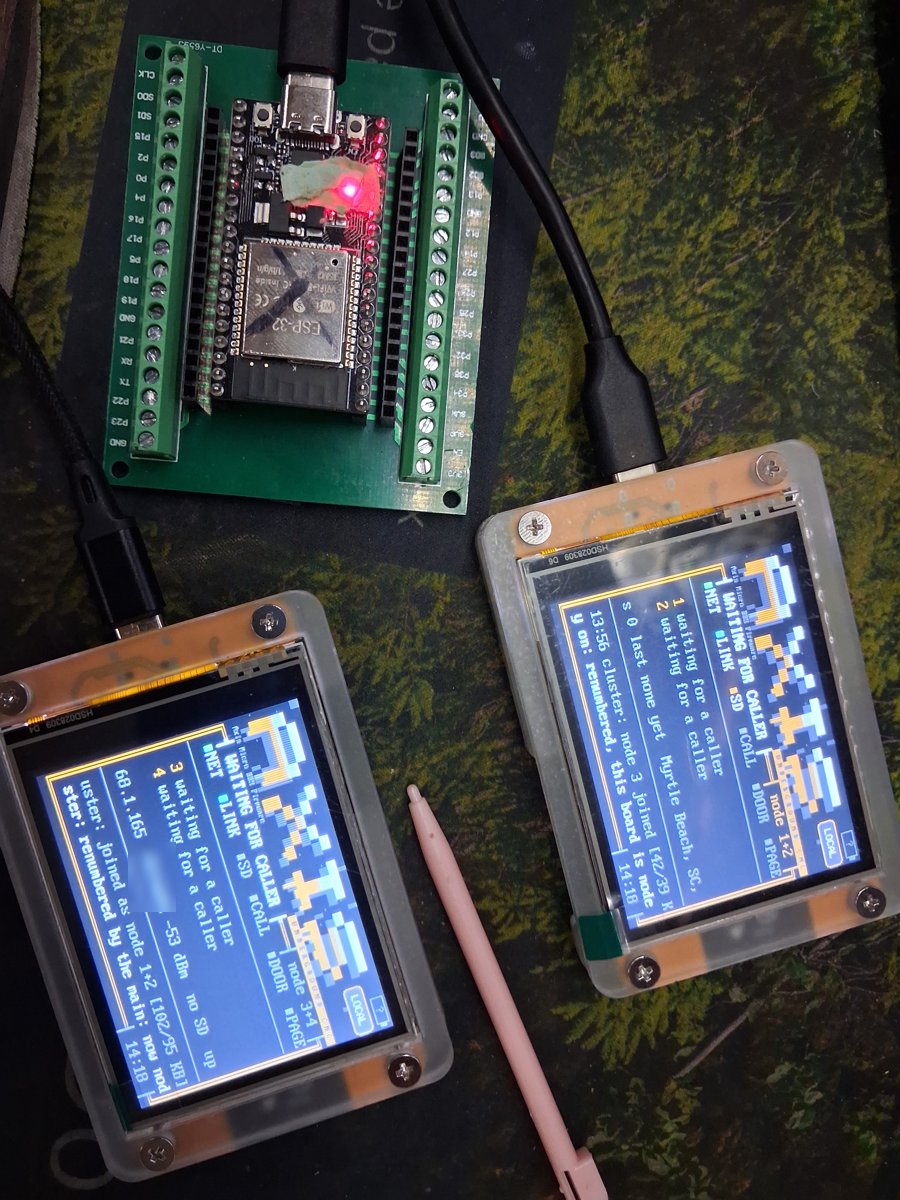
One board takes several callers at once, and several boards on one LAN join into one BBS with shared users, settings, files, messages and lists. Each caller slot is a node.

The AXIS cluster family: two CYD boards and a headless ESP32 on a terminal breakout, seven nodes of one BBS
The cluster family: board 1 (SD card, nodes 1+2), board 2 (nodes 3+4) and a headless ESP32 on a breakout (nodes 5 to 7). Seven nodes, one BBS.
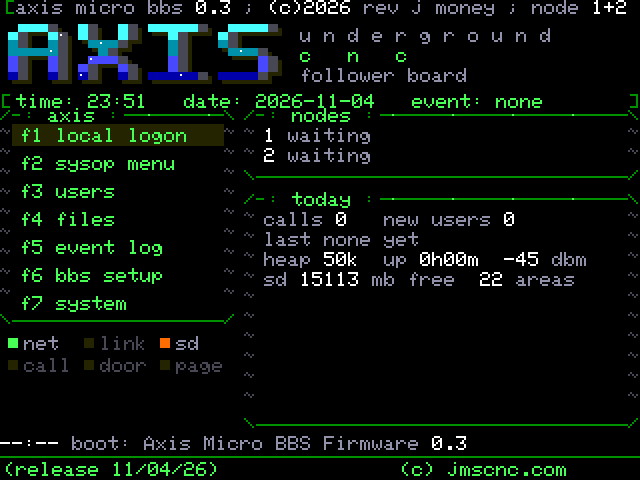
The CYD activity screen showing node 1+2, status lights and the system ticker
The main board serving nodes 1 and 2
Sessions per board

sessions sets how many callers a board takes at once: 1 to 4, default 2 on a CYD (a headless node defaults to 3). Each session is its own node number; the activity screen shows them as, for example, node 1+2. Native LORD does not take the single door slot, so more than one caller on the same board can be in it. The ANSI viewer, the DOS prompt, and a file transfer still share one slot per board. Everything else (menus, messages, chat, browsing) runs side by side.

How boards join

Flash another board, put it on the same network, and it finds the others by itself (mDNS service _axisbbs._tcp plus UDP broadcast). The one thing to set is the shared cluster key: from version 0.51 boards only link with boards that hold the same key.

  • The SD board is main and node 1. The board with the SD card is the main: it owns the files, messages and lists, and serves them to the others over the link. A main without a card hands the role to a board that has one as soon as it joins. More boards with cards add their cards to the file areas; see SD card clustering.
  • One set of settings. Every other board takes the main's settings over the link, keeping only its own board_name, sessions and telnet_port. A change on the main (from @SET or the THEME button) reaches every board at once.
  • One user base. Every board keeps the whole user base. Changes travel as single records, so a new account or a password change on any board is on all of them a moment later.
  • Node numbers. Each board gets one number per session and keeps it across reboots. Once every node has been idle for 10 seconds (the local console counts as busy), the main renumbers the cluster so its own sessions are 1, 2 and so on, then each other board in order, closing gaps like "2+4".
  • Failover. Boards trade a heartbeat every second. If the main goes away, the next board takes over within about 5 seconds; the board with the SD card always wins the main role back.
  • Caller relay. Callers dial the main. When every node on the main is busy, it passes the caller to the lowest free node on another board, passing the bytes both ways untouched.
  • Doors on other boards. A board without the door files runs native LORD locally and reads the main's door folder over the link, with the main's record locks, so every node shares one PLAYER.DAT.
Who's online listing every node across the boards with caller handles and what they are doing
Who's online across every board
Linking boards: the cluster key

Boards only join a cluster when they share a secret, the cluster key. Discovery is signed, a new link proves the key in both directions, and every frame on the link carries a tag, so a stranger on your network cannot join, forge, change or replay what the boards say to each other. A board with no key runs alone.

  1. Pick a secret of 8 or more characters. The same one goes on every board. Keep it somewhere private; do not post it or commit it to a repository.
  2. Connect to each board over USB and open its serial console at 115200 baud.
  3. On each board type @CLUSTERKEY followed by a space and your secret, then Enter. Or use the cluster key line in the sysop menu's System layer on the board itself.
  4. Check it: @CLUSTERKEY alone says whether a key is set (it never shows the key). @CLUSTERKEY off clears it.
  • Stored on the board only. The key lives in that board's own storage, not in axis.ini, and is never shown or sent in the settings sync. You enter it once per board.
  • Upgrade rule: older firmware cannot join a keyed board. Flash every board with 0.51 together, then give each the same key. A board on 0.51 with no key runs alone until it has one.
  • Replacing a board? Flash it, then set the same key on it. Changing the key means setting the new one on every board.
NoteCluster key commands run only at the board or on its serial console, never over telnet.
SD card clustering (pool and mirror)

Put an SD card in more than one board and the cards work together. There is nothing to set up for the pool; mirroring is one letter per area.

  • Every card adds to one library. The main lists each area across every card in the cluster as one list. A file that is on two cards shows once (the larger copy, if they differ), with the description from whichever card has one. Callers on any board, with or without a card, see the same lists.
  • Uploads go to the roomiest card. A new upload is written to the card with the most free space, its own or another board's, and its FILES.BBS description goes on that card. Downloads read from a card that has the file, the main's own card first.
  • Mirrored areas keep two copies. Add |m to an area line (area3=gcode|G-code and Toolpaths|0|m) and the main copies every file in that area that only one card holds onto a second card with room, in the background: one file at a time, 2 KB per turn of the main loop, so callers never notice. A copy only shows up once it is whole.
  • When a board is down. Its card simply drops out of the lists until it comes back; nothing waits on it longer than a couple of seconds. A file in a mirrored area is still there from its other copy. A copy cut short by a board leaving is thrown away and made again on a later pass. The sysop's remove and rename reach every copy that is up.
  • Checking on it. On the main's serial console, @CARDS lists each card board with its free space and whether it is up, and @MIRROR shows the mirrored areas and what the mirror is doing (copying, resting, how many copied or failed, the last event). Mirror copies also go in the event log ("mirror: copied X to node 2").

With one SD card in the cluster (the usual setup) everything works exactly as before: the main's card is the library.

SD disc changer (work in progress)
Work in progressDesigned and planned on 2026-11-04, not built yet. This is how the SD cards will work by default; pool and mirror (above) becomes a build option, AXIS_SD_POOL.

Every SD card becomes a disc in a CD-ROM changer, the way a Night Owl shareware CD worked on a 90s board. Swap cards and the file areas follow.

  • A card is a disc. Only the card's /files folder is the disc; each subfolder with files in it is one area, named after the disc (NIGHTOWL 12: Games). The disc name is the card's volume label. The rest of the card stays free for anything else.
  • Hot swap. Pull a card out of any board or push one in and, within a few seconds, every node gains or loses that disc's areas, with a DISC IN or DISC OUT toast on the screens and a notice to callers online. A blank card does nothing until files show up in its /files.
  • FILE_ID.DIZ built in. A file with no description gets one from the FILE_ID.DIZ inside its archive, read once when the disc goes in and saved with the disc. A FILES.BBS description wins.
  • Never merged. The same folder on two discs is two areas.
  • The main's card too. Its message bases and doors will be backed up on another board's card, so pulling it keeps the BBS running from the backup; uploads land on the backup meanwhile and are combined back when the card returns. The main stays main.

Design: docs/superpowers/specs/2026-11-04-sd-disc-changer-design.md. Plan: docs/superpowers/plans/2026-11-04-sd-disc-changer.md.

Multinode

Chat between callers

Topic
Chat between callers
Area
Multinode
From
Rev. J. Money
To
All
Updated
2026-11-04
Msg
18 of 34

Who's online, teleconference, paging, node messages, split-screen chat.

Animated teleconference: callers on different nodes chatting line by line
Teleconference (animated)

Who's online

W lists every node on every board: the node number, the caller, and what they are doing (main menu, a file area by name, a door, the teleconference, and so on). A caller who is not available for chat shows (DND).

Teleconference

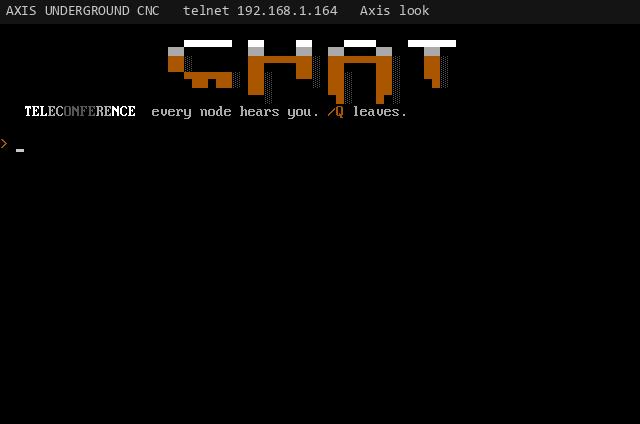
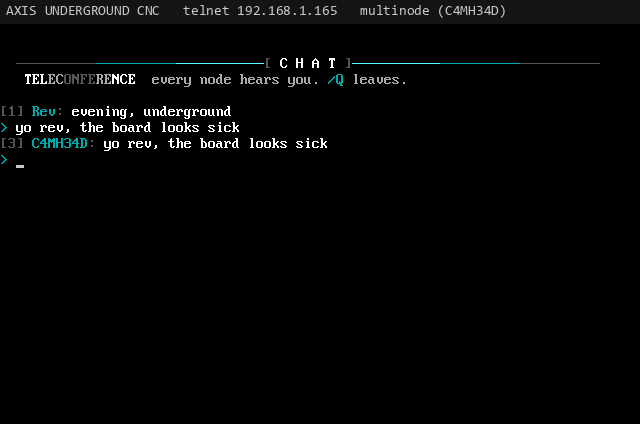
T joins the teleconference with every node. Lines go through the main so every node sees them in the same order, each tagged with the node and handle. Type /Q to leave.

The teleconference screen with lines from several nodes
Teleconference
Paging the sysop

P (or Y) asks for a one-line message for the sysop. It shows as PAGE on every CYD's activity screen for a minute, sets the PAGE light and the magenta LED strobe, and goes in the event log.

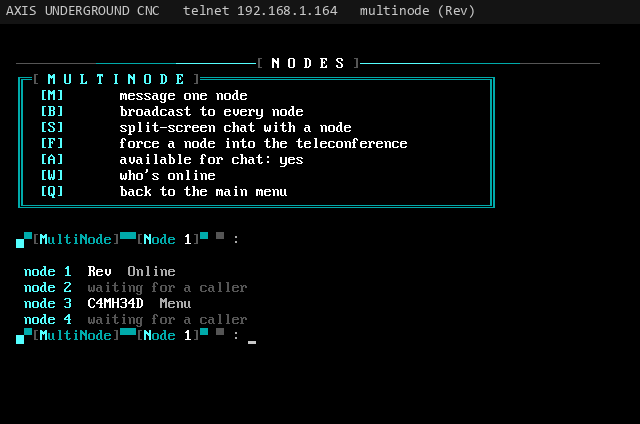
The MultiNode menu

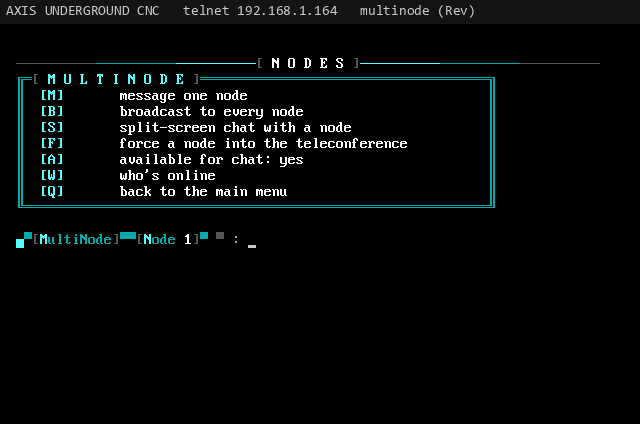
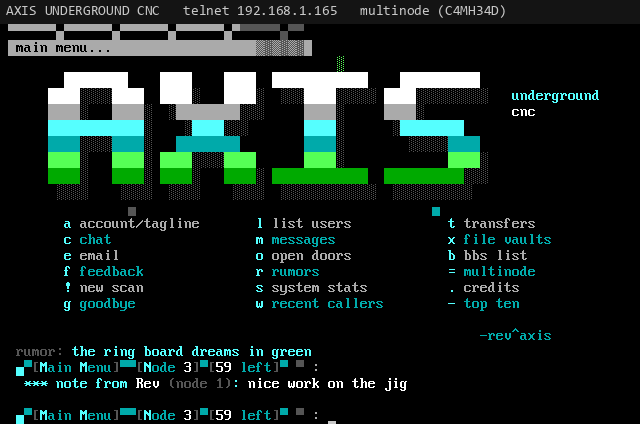
N at the main menu (= with the O/2 letters) opens the Oblivion/2 style multinode commands. They work across boards.

  • M message one node (a private one-liner)
  • B broadcast to every node
  • S split-screen chat with a node
  • A available for chat on or off
  • F force a node into the teleconference (sysop)
  • W who's online
  • Q back to the main menu

Type the node number when asked; Esc gives up. A note or broadcast that arrives while a caller is in a door or a transfer waits for their next menu. With availability off (do not disturb) a caller gets no notes, broadcasts or chat requests, and shows (DND) in who's online. A forced caller is pulled straight into the teleconference if they are at a menu, otherwise they get a note asking them to join with T.

The MultiNode menu with message, broadcast, split chat, available, who and quit
The MultiNode menu
Animated: a node message arriving on another caller's screen
A node message arriving (animated)
Split-screen chat

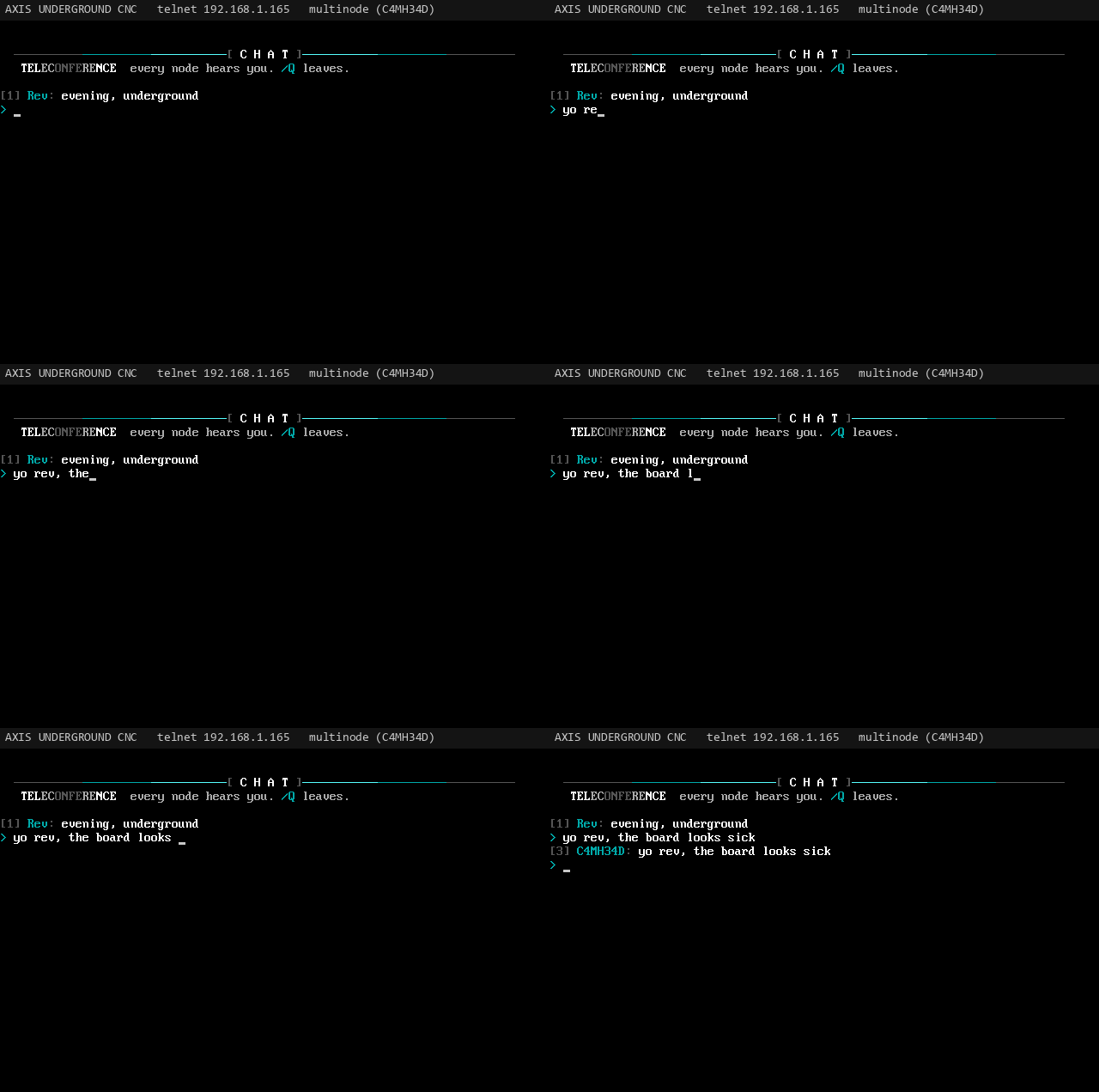
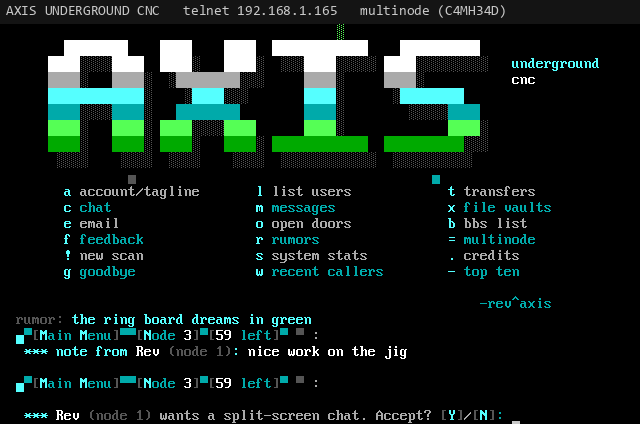
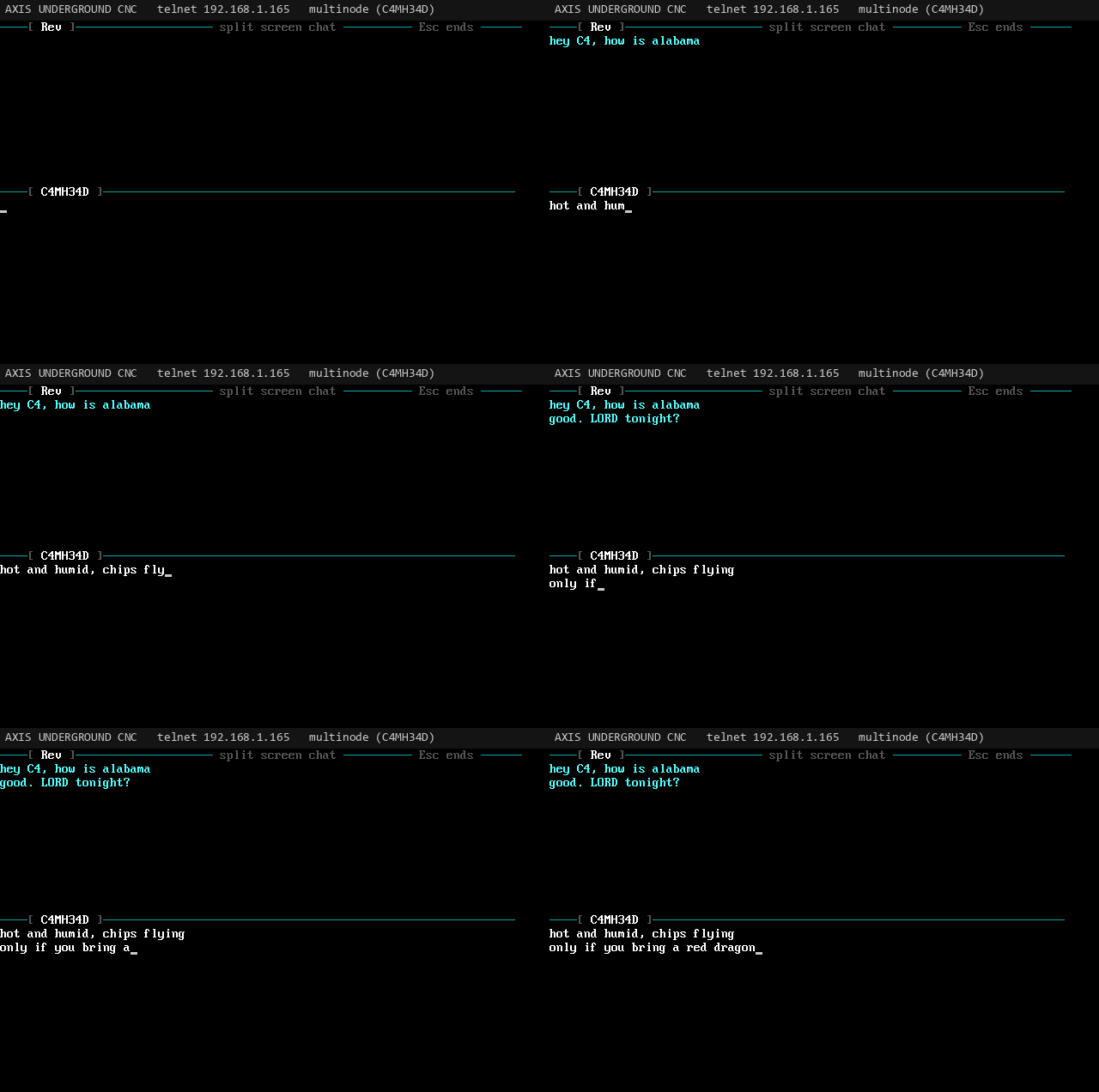
Pick S and a node number. The other caller is asked whether to accept (Y/N). If they do, both screens split: their keystrokes appear live in the top half, yours in the bottom, each key sent as it is typed. Each half wipes itself when it fills. Esc ends the chat for both.

A caller being asked to accept a split-screen chat request
The chat request
Animated split-screen chat: two callers typing live in the top and bottom halves
Two callers typing live (animated)
Doors

Doors

Topic
Doors
Area
Doors
From
Rev. J. Money
To
All
Updated
2026-11-07
Msg
19 of 35

The door list, and adding a door with doorN.

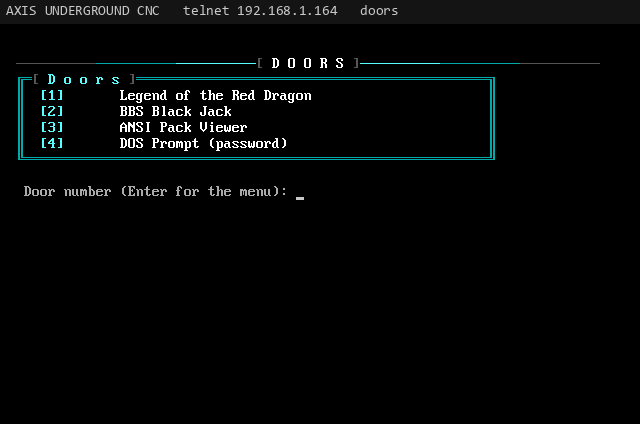
On the Oblivion menu, O opens the door list (the Axis look uses its own doors key). Doors are numbered 1 to 9, then A, B, C and on. Type a door's key to go in; Enter goes back to the menu. When the door ends, the caller comes back to the BBS, with a note if the door ran out of memory, ran out of time, or could not start.

The doors list on the board
The doors list
What runs on the board

The ESP32 image runs doors that are built into the firmware. A program name that starts with * is one of those. Native LORD is *LORD. The ANSI viewer is *ANSIVIEW. The DOS prompt is *DOSSHELL.

  • Native LORD does not take the single door slot, so two callers on the same board can both be in it. See Native LORD.
  • The ANSI viewer and the DOS prompt do take that slot. A second caller is told the door is busy.
  • An .EXE does not run on this image. The caller is told the DOS runtime is not in this firmware. That runtime is the separate PC build. See the DOS emulator.
  • Time. A door session is limited to daily_minutes.
  • Files. Native LORD reads /doors/lord/ on the SD card (the main board's card, for every node).
Adding doors: doorN
doorN=id|name|exe|args|drop
door1=lord|LORD|*LORD||none
door2=ansiview|ANSI Pack Viewer|*ANSIVIEW|ansi|none
door3=dos|DOS Prompt (password)|*DOSSHELL|dosbox|none
Reference table: field, meaning (5 rows)
FieldMeaning
idThe folder under /doors/.
nameWhat callers see in the list.
exeWhat to run. A name starting with * is built into the firmware (*LORD, *ANSIVIEW, *DOSSHELL). An .EXE name is not started on the board.
argsThe command line. For *ANSIVIEW it is the file area id to show. For *DOSSHELL it is the sandbox folder on the SD card. *LORD does not use this field.
dropdoorsys (DOOR.SYS, the default), dorinfo (DORINFO1.DEF) or none.

The DOS Prompt is always added if a saved list leaves it out. A saved list that has no *LORD row gains one named LORD. An old LORD.EXE row can stay in the file, and this firmware will not start it.

Doors

Native LORD

Topic
Native LORD
Area
Doors
From
Rev. J. Money
To
All
Updated
2026-11-07
Msg
20 of 35

Legend of the Red Dragon, written in C++ and running on the board.

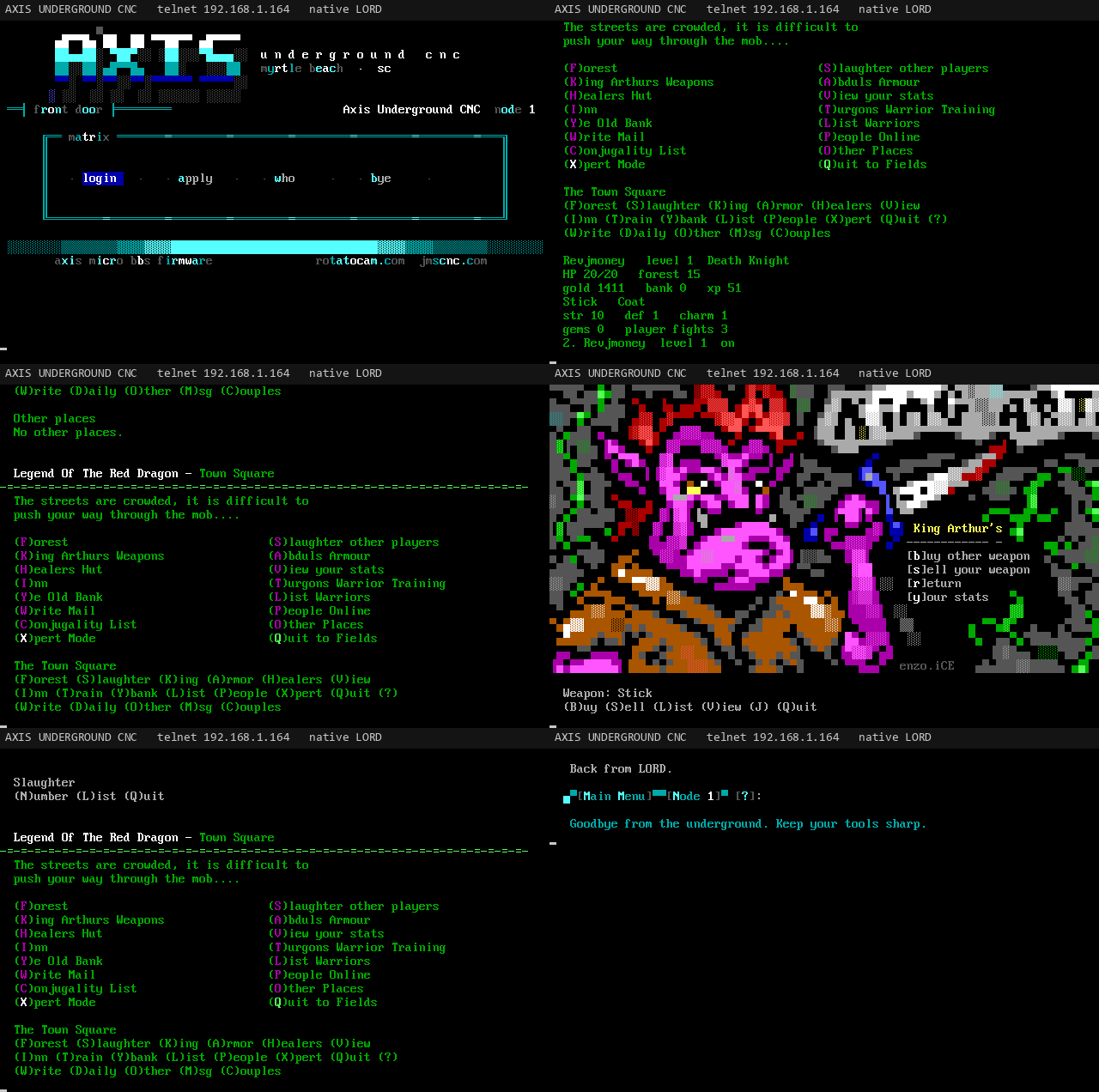
The game on the ESP32 is a native port of the open-source LORD engine (Synchronet's LORD.js, by Deuce, Stephen Hurd). It runs in the BBS process over telnet. It does not run LORD.EXE, and the board image does not include an 8086 emulator. The source is src/lord/. The door row is *LORD.

Animated telnet walk of the native LORD door: town, stats, the inn, the bank, the king, armor, slaughter, and training
A telnet walk of the native door
  • Your files, not ours. Warriors, weapons, armor, trainers, and the ANSI scenes come from the installed LORD folder. The engine does not carry the game's text. Scene order is NAME.ANS if that file is there, then lordtxt.lrd, then LORDTXT.DAT.
  • One world. Every node reads the main board's PLAYER.DAT. Two callers on the same board can both be in LORD. A fight with someone who is already online reaches them on whichever board they called.
  • Mail between warriors goes through the BBS email area.
  • What you can open: the town, the forest, slaughter, the king, armor, the healers, the bank, the inn, training, the day log, other places, and the end of the realm. A skill that reaches 40 asks for a new profession. Forest events and the day log are read from the installed files.

Copy a LORD 4.07 folder to /doors/lord/ on the main board's SD card. tools/door_prepare.py can stage that folder on a PC. It needs build/doorhost from the PC build, because it runs LORDCFG once to write a fresh lord.dat. The native door then just reads the folder.

python -I tools/door_prepare.py LORD_FOLDER build/lord-ready
python -I tools/sdput.py COM5 build/lord-ready /doors/lord --baud=921600

You can also copy a folder you already play. The repo does not include the game files.

Doors

The DOS emulator

Topic
The DOS emulator
Area
Doors
From
Rev. J. Money
To
All
Updated
2026-11-07
Msg
21 of 35

A separate PC build, for when you want the unmodified EXE.

The 8086 runtime is still in the repository, under dosemu/. It is not linked into the ESP32 firmware. There is no PlatformIO environment that puts it back on the board. If a caller picks a door whose program is an .EXE, the board says the DOS runtime is not in this firmware.

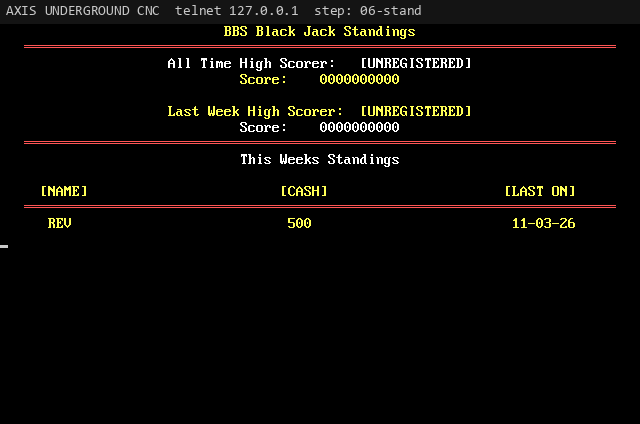
BBS Black Jack standings, from the PC door runtime
An EXE in the PC build, not on the ESP32

CMakeLists.txt is the split. When PlatformIO builds the board it sets IDF_PATH, and the firmware compiles src/ only. A plain CMake run, with IDF_PATH unset, includes CMakeLists.pc.txt. That PC build links dosemu/door/ and third_party/i8086 (8086, paged memory, a high-level DOS, a BIOS, and FOSSIL on INT 14h) and it also compiles src/lord/, so one test binary covers the native engine and the emulator.

cmake -S . -B build -G Ninja
cmake --build build
build/axis_tests

On Windows, use MSYS2's g++ and Ninja, and the programs are build/axis_tests.exe and build/doorhost.exe. Do not export IDF_PATH in that shell, or CMake will try to build the ESP-IDF project instead.

doorhost: one EXE, on the PC

doorhost runs a DOS door you already have. The repository does not include LORD.EXE or any other game. Play it at the keyboard:

build/doorhost --dir LORD_FOLDER --exe LORD.EXE --args "1 /DREW" --local

Or wait for one telnet caller. FOSSIL is the door's serial port, and the host writes a DOOR.SYS drop file unless you pass --drop dorinfo.

build/doorhost --dir LORD_FOLDER --exe LORD.EXE --args "1 /DREW" --telnet 2323

The same host runs other EXEs this runtime already knows, such as BBS Black Jack (BLKJK.EXE, with its BJ.CFG). tools/door_prepare.py calls doorhost once, to let LORDCFG write a fresh lord.dat, before you copy the data folder to the board for native LORD.

What is in dosemu/
  • dosemu/door/ is the CPU, guest memory, DOS, BIOS, FOSSIL, drop files, and the session that runs one EXE. The PC build compiles these.
  • dosemu/cyd/ is the old flash cache that served a relocated EXE from the door partition. The current ESP32 image does not compile it. The partition is still in partitions.csv so a flash does not move LittleFS.
  • third_party/i8086/ is the MIT FabGL core the PC build links. It is not part of the board image.
Doors

ANSI Pack Viewer

Topic
ANSI Pack Viewer
Area
Doors
From
Rev. J. Money
To
All
Updated
2026-11-04
Msg
21 of 34

Artpacks straight out of their ZIPs, and ANSI movies.

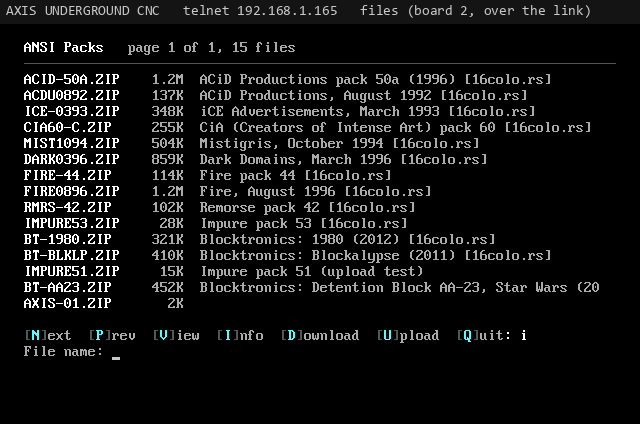
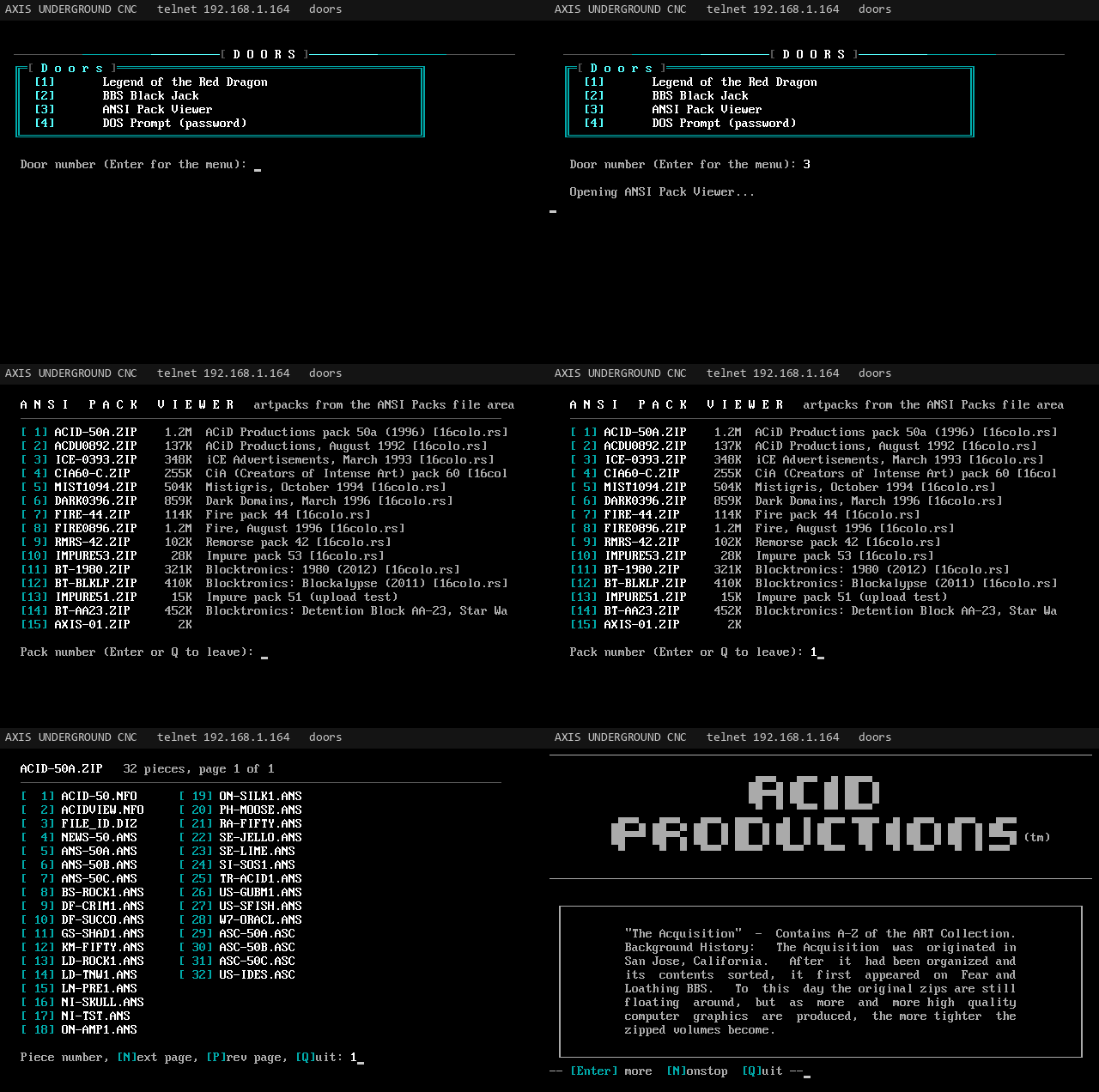
A door built into the firmware. It lists the artpack ZIPs in a file area (the ANSI Packs area, ansi, by default), then the pieces inside a pack in three columns, and shows any piece straight out of the ZIP without unpacking it to the card. Long-named packs list with their shared prefix cut off.

Animated ANSI Pack Viewer: picking a pack, a piece, and the art scrolling in
The ANSI Pack Viewer (animated)
  • A still piece pauses every screen (-- more --): Enter for more, N nonstop, Q quit.
  • After a piece: Enter next, P previous, L list, Q quit. Pack and piece lists page with N and P.
  • ANSI movies (pieces full of cursor moves) play at modem speed: 9600 baud by default, and 1 to 4 pick 2400, 9600, 19200 or 57600 while it plays.
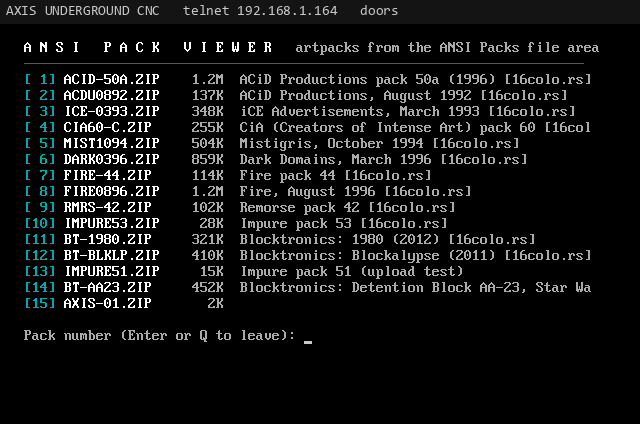
The list of artpacks in the ANSI Packs area
The artpack list
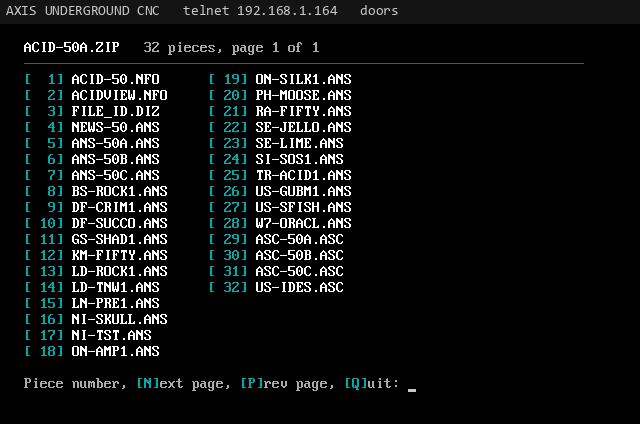
The pieces inside one artpack in three columns
Pieces inside a pack
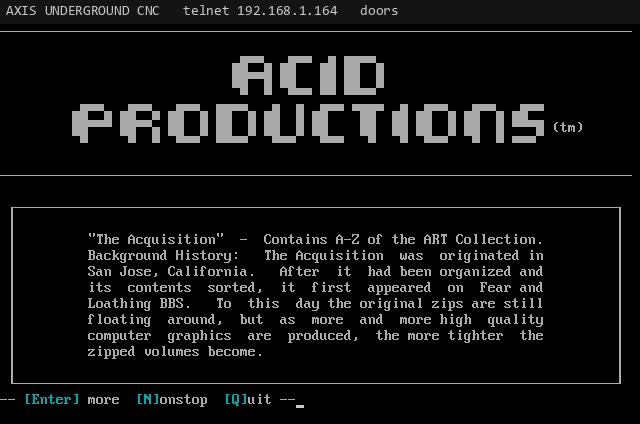
An ANSI art piece shown from inside a ZIP
A piece, straight out of the ZIP
Doors

DOS Prompt door

Topic
DOS Prompt door
Area
Doors
From
Rev. J. Money
To
All
Updated
2026-11-04
Msg
22 of 34

A password-locked C:\> sandbox and its commands.

A C:\> prompt over a sandbox folder on the SD card (dosbox by default). Nothing of the BBS is reachable from it: .. stops at the sandbox root and there are no other drives. The sandbox can hold up to 16 MB.

  • Password. The door has its own password, set on the serial console with @DOSPASS secret. With no password set the door says it is not enabled; @DOSPASS alone clears the password and so turns it off.
  • Lockout. Input is masked, three tries per visit, and five wrong in a row lock the prompt board-wide for 10 minutes. Every attempt goes in the event log.
Reference table: command, what it does (11 rows)
CommandWhat it does
DIR [path]List a folder.
CD, CHDIRChange folder (cd\ and cd.. work).
MD, MKDIR / RD, RMDIRMake or remove a folder.
TYPE filePrint a file.
MORE fileA screen at a time: any key for more, Q stops.
COPY from toCopy a file.
DEL, ERASE / REN, RENAMEDelete or rename a file.
TREEDraw the folder tree.
DATE, TIMEThe board's clock.
PKUNZIP -V file, ARJ L file, UNRAR L file, LIST fileList what is inside a ZIP, RAR, ARJ, TAR or GZ (listing only).
CLS, VER, ECHO text, HELP or ?, EXITThe usual.

DOSKEY-style history: the up and down arrows walk back through earlier commands, and F3 repeats the last one. Running .COM or .EXE programs from the prompt is not supported.

Sysop

Accounts and security

Topic
Accounts and security
Area
Sysop
From
Rev. J. Money
To
All
Updated
2026-11-04
Msg
23 of 34

Applications, validation, levels, permissions, time limits, twits.

Accounts are kept in internal flash (/users.dat) on every board. Passwords are stored as salted SHA-256 hashes, never as text. A caller gets three tries at a password, then the call ends. Brute-force brake: each wrong password holds the line 2 seconds, then 4, and an address that fails three calls within 10 minutes (wrong passwords, a wrong new user password, or bad logins on the sysop panel port) is turned away for 5 minutes, then 10, 20 and so on up to an hour for a repeat offender. A good login clears it.

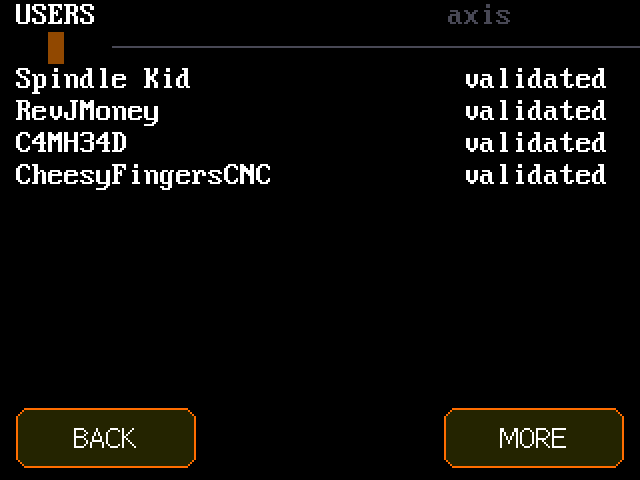
The USERS screen on the CYD listing callers and their status
USERS on the CYD
The new user application

A caller who types a handle nobody uses is asked whether to apply (in the Oblivion look, Apply on the matrix does the same). The application is about twenty questions in sections. The sysop reads every answer; with new user voting on, the callers who vote read them too, except the first name and email:

  • About you: a password (6 or more characters, twice), first name, location, email (optional), how they heard about the board.
  • The shop: do they own a CNC (router, mill, lathe, laser or 3D printer), the machine and controller, what they cut, whether they know someone with one, a rotary (4th) axis.
  • RotatoCAM: do they know it, are they a RotatoCAM Pro user, have they been to rotatocam.com and jmscnc.com, what CAM software they use.
  • The scene: first BBS, best ANSI group, their terminal, what they would upload, why they should be let in.
  • The rules, then review and submit.
New user voting

Validated callers vote applicants in or out, the way Oblivion/2 and ViSiON/3 boards did. A caller who may vote is asked at login when someone is waiting ("Vote now?", the CHECKNUV step of the login sequence; on the built-in menu a notice says so), and A on the built-in menu (N on an Oblivion/2 menu, RUN:NUV in a menu file) opens it any time. Each applicant shows their handle, location, the votes so far, and their answers. Yes or No, then an optional word for the other voters; Skip leaves them for later, Quit goes back.

  • nuv_yes yes votes let an applicant in (security raised to at least 20, a LORD warrior made). nuv_no no votes turn them down; they are told the vote did it. Set either in the sysop menu, Settings, Callers and limits.
  • Only validated callers at nuv_level or above vote, never on themselves, once each (a second vote replaces the first). Twits don't vote. The sysop votes too.
  • A pending applicant's status screen shows their tally. Votes are kept on the account and travel the cluster link; two boards voting at once keep both votes.
  • The sysop can still validate or deny anyone at once. nuv_yes=0 turns voting off.
Validating callers
  • On the CYD: tap the activity screen, USERS (pending callers are listed first), tap a caller to read every answer, then VALIDATE or DENY.
  • Over telnet: the sysop user editor (*), V or D. Validating raises security to at least 20.
  • On the serial console: @ADDUSER handle|location|password adds a caller who is already validated (security 20, password 6+ characters).
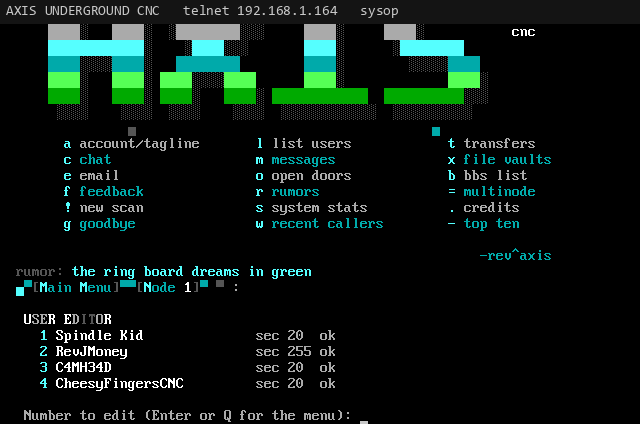
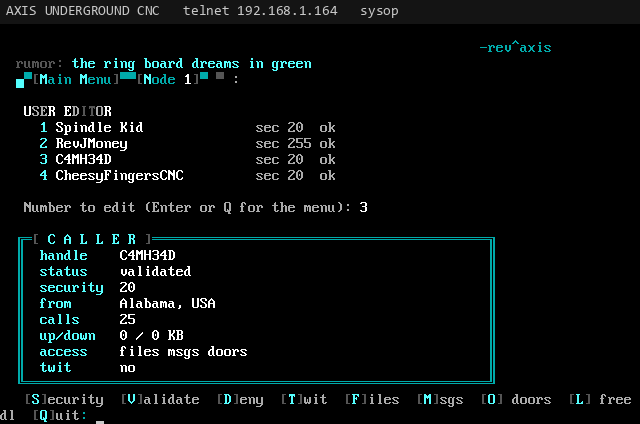
The sysop user editor over telnet listing every caller with security level and status
The user editor over telnet
Security levels and permissions
  • Security level (0 to 255). File and message areas can require a level (areaN=id|name|level); callers below it never see the area. 255 is a sysop.
  • Permissions: each caller has files, messages and doors switches, all on by default. A caller with one off is told that part is closed to their account.
  • Free downloads: skips the download gate and the ratio.

On the CYD these are under USERS, a caller, ACCESS: toggles for FILES, MSGS, DOORS, FREE DL and SYSOP. Changes are saved and synced to every board.

Time limits and idle logoff

daily_minutes (default 60) is enforced per call: at 5 minutes left the caller sees a warning, and at zero they are logged off. The Oblivion prompt shows [N left]. A door session gets the same limit. The sysop is exempt. idle_minutes (default 5) logs off a caller who types nothing for that long, including during the application; doors and transfers are not counted as idle.

The twit flag

The quiet way to deal with a problem caller. A twit's message posts are hidden from everyone but them and the sysop, and their oneliners, rumors and teleconference lines reach nobody but them. They are told it all worked. Toggle it with T in the user editor.

Sysop promotion

Any user at security 255 is a sysop: no time limit, every area, and the sysop commands. Promote a caller with @SYSOP handle on the serial console, the SYSOP toggle under ACCESS on the CYD, or security 255 in the user editor.

Sysop

Sysop user editor

Topic
Sysop user editor
Area
Sysop
From
Rev. J. Money
To
All
Updated
2026-11-04
Msg
24 of 34

Edit any caller over telnet with *.

Sysops press * at the main menu for every caller with their security level, status and twit flag. Type a caller's number to open them (handle, status, security, location, calls, up and down KB, access, twit), then:

One caller in the user editor with status, security, location, calls, transfer totals, access and twit, and the edit keys
Editing one caller
  • S set the security level
  • V validate
  • D deny
  • T twit on or off
  • F files on or off
  • M messages on or off
  • O doors on or off
  • L free downloads on or off
  • Q back to the list
Sysop

The CYD console

Topic
The CYD console
Area
Sysop
From
Rev. J. Money
To
All
Updated
2026-11-08
Msg
25 of 34

The Renegade-style WFC screen, WFC skins, sysop keys, node detail and KICK, the sysop menu, the control panel.

The board's own touchscreen is the sysop's control panel. Nothing here needs a password: whoever can touch the board is the sysop.

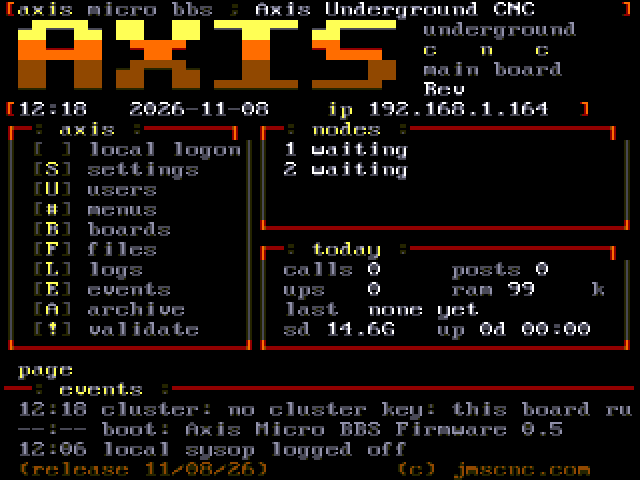
The CYD activity screen: AXIS logo, LOCAL button, battery spot, status lights NET LINK SD CALL DOOR PAGE, two node lines, a ticker and the newest events
The activity screen (CYD panel at 2x)
The waiting-for-caller screen (WFC)

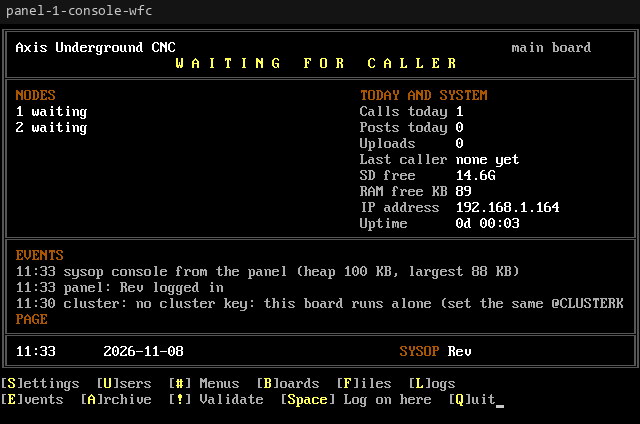
When idle the board shows a Renegade-style waiting-for-caller screen drawn in the board's look: a title bar with the version, the board's nodes with who is on, the numbers for today and a row of sysop keys. Its live values (calls, posts and uploads today, free RAM, uptime, the last caller, every node) come from pipe codes in the art, so each look draws its own. The same screen appears in four places: on the touchscreen (45x24 in 7x10 pixel cells), for a sysop over telnet, on the panel console and on the serial console (80x25).

The Renegade-style waiting-for-caller screen on the CYD touchscreen
The WFC on the touchscreen
The same waiting-for-caller screen at 80x25 on the panel console
The WFC at 80x25 (panel console, serial and telnet)
  • On the touchscreen tap a key's label to use it, or tap a node's line for its detail screen (the caller, time online, IP, calls and transfers, with BACK and KICK). The art stays on screen while the WFC is up.
  • Over telnet, on the panel and on the serial console the WFC opens for a sysop (on serial, type wfc). A line starting with @ leaves it for the command prompt, and ten idle minutes close it. Over telnet it needs the sysop_telnet setting on (the default); with it off, sysop screens stay on the board's own screen and serial.
  • The counters for calls, posts and uploads today roll over at local midnight.
  • No art for the look? A built-in WFC is used, so every board has one.
WFC skins

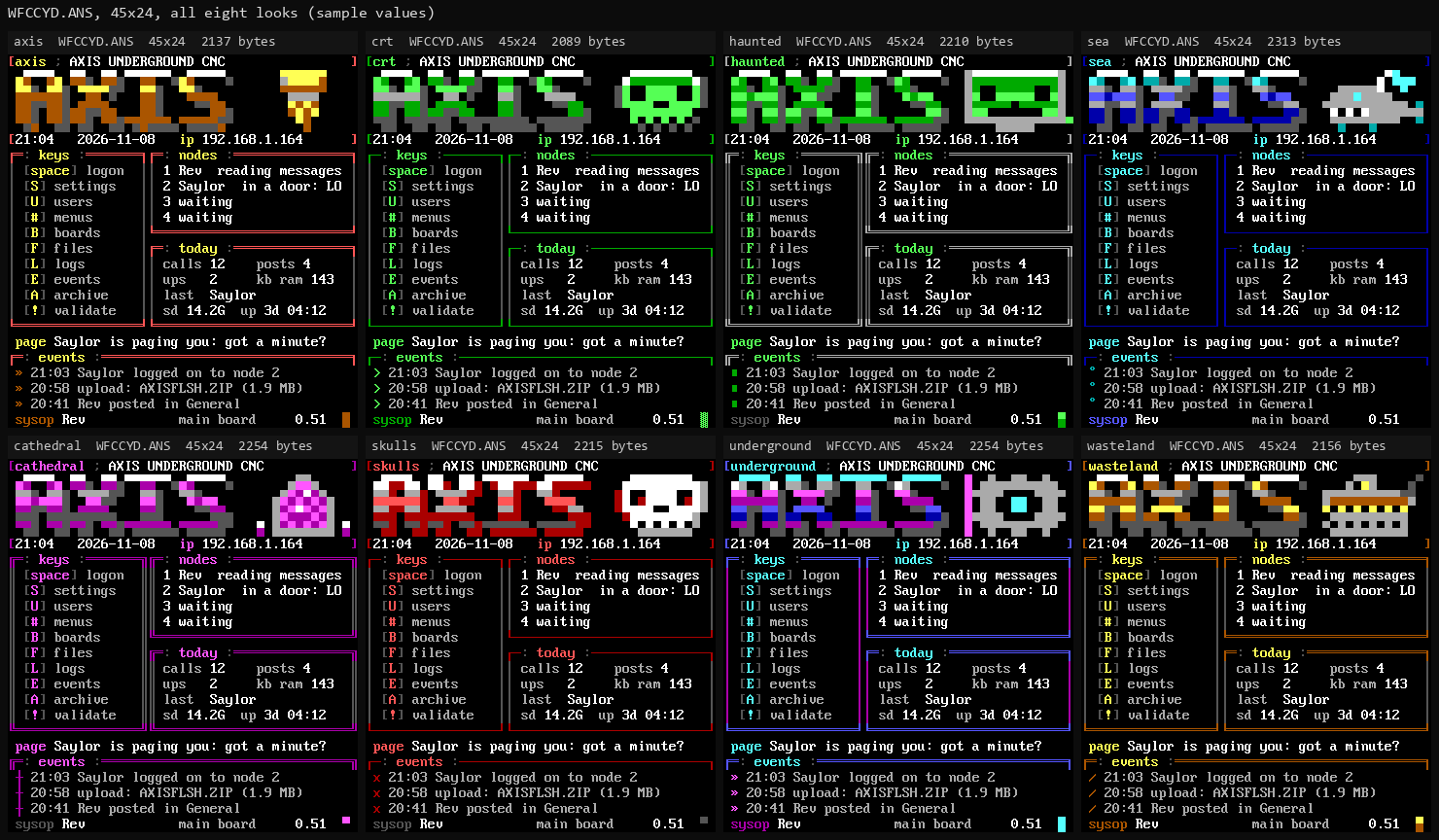
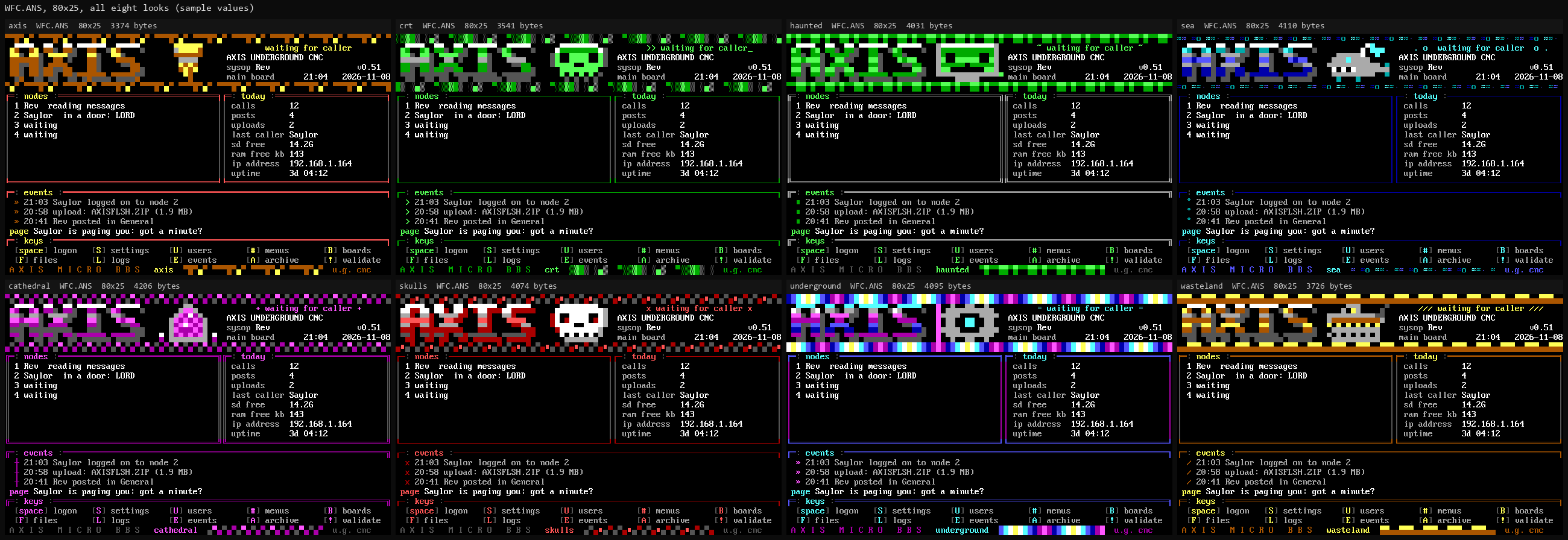
Every one of the eight looks (axis, crt, haunted, sea, cathedral, skulls, underground and wasteland) comes with its own WFC art, drawn in that look's colours: WFC.ANS at 80x25 and WFCCYD.ANS at 45x24 for the touchscreen. The skin is its own setting, wfc, kept apart from theme. Leave it blank and the WFC follows the theme; set a look's id and the WFC keeps that look whatever the callers see. Change it under Settings > Look in the sysop menu, or with @SET wfc=sea.

The touchscreen WFC in all eight looks side by side
The touchscreen WFC in all eight looks
The 80x25 WFC in all eight looks side by side
The 80x25 WFC in all eight looks

Your own skin goes in /sd/themes/<look>/ as WFC.ANS and WFCCYD.ANS. The pipe codes for live values are listed in docs/WFC-CODES.md in the repository.

Sysop keys and //

The WFC takes Renegade-style single keys, and online a sysop reaches the same places by typing //.

Reference table: key, where it goes (8 rows)
KeyGoes to
SSettings
UUsers
#Menus
BMessage bases
FFile areas
LLogs (the System section)
SpaceLocal logon
QQuit the WFC

Online, a sysop types //U (and the other letters) to land straight in that section of the sysop menu. // alone opens the WFC at the board, and the sysop menu over telnet; there its "Waiting for caller screen" item shows the WFC, and Q or Esc goes back to the menu (it never hangs up). E (events), A (archive) and ! (validate) say "coming soon" for now. Over telnet // works only while sysop_telnet is on.

Node detail and KICK

Tap a node's line for its detail screen: the caller, what they are doing, time online, their IP, whether they are a sysop, their calls and upload and download totals. BACK returns; KICK hangs that caller up (and logs it). The WFC's other keys open the sysop menu.

The sysop menu

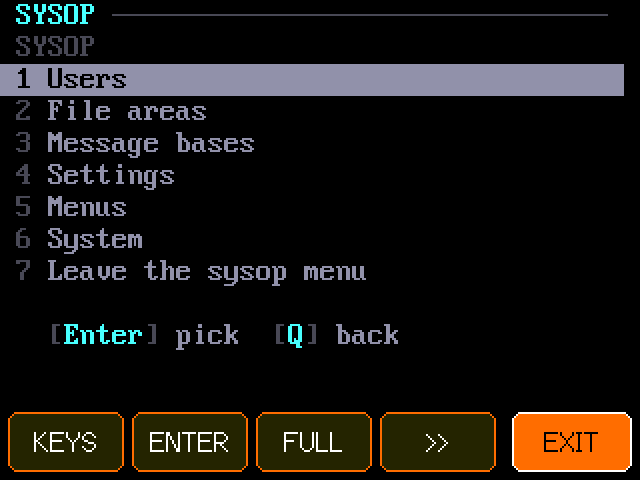
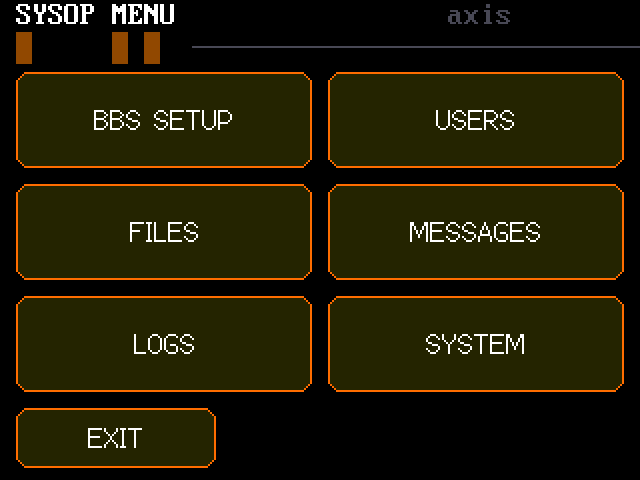
The sysop menu is part of the BBS itself: lightbar screens in the board's look, one menu for every screen: online, on the board's touchscreen, on the panel console and on the serial console. Online, press * at the main menu or type // (sysop only; see sysop keys). On the board, tap a key on the WFC (S, U, #, B, F or L) to land on that layer, and tap a line to pick it. Move with the arrow keys or the item's number, Enter picks, Q or Esc goes back a layer, N/P page.

The sysop menu on the board in big letters: Users, File areas, Message bases, Settings, Menus, System
The sysop menu on the board
Reference table: layer, what you can do (7 rows)
LayerWhat you can do
UsersEvery caller. Pick one to change real name, location, email, tagline and security level; validate or deny; set a password; turn files, messages, doors, free downloads and twit on or off; make a sysop; delete (asks first). Add a user.
File areasAdd, rename, set the security level, move up the list, remove. Inside an area: every file; change a description, rename, move to another area, delete (asks first).
Message basesThe same for message areas, plus purge posts older than N days. Inside a base: every post, newest first; delete or move one.
SettingsEvery setting, in groups (BBS and sysop, network, callers and limits, look, other), plus the sysop password, the new user password and the DOS prompt password (set, never shown).
MenusThe main menu's items: start from a copy of the built-in menu, then change each item's hotkey, name and command (picked from the list), move items, remove them, add new ones, or go back to the built-in menu. A theme's MAIN.ANS on the card keeps its own letters.
SystemThe event log, every node (send a note, 15 more minutes, send to the teleconference, kick), status, SD cards, web and No-IP (update now), SD check, the doors on the card, restart, rerun setup (the settings stay until the wizard saves), format SD (type FORMAT to confirm), station, and the cluster key line (see linking boards). Restart, setup, format, cluster key and station run only at the board or on its serial console, never over telnet.
LookThe theme the callers see and the WFC skin, picked from the list of looks. Over telnet each pick shows a preview first (that look's main menu, or its WFC): Left and Right flip through the looks, Enter uses it, Esc or Q go back. The WFC skin list also has Classic AXIS, the built-in screen. With menu files installed, the theme's art draws every menu screen, so a new theme changes the whole board.

Every change goes through the same @ command the serial console uses, and runs on the main board, which shares it with every board. A follower board passes its sysop menu's commands to the main.

The sysop control panel (PC and phone)

A small app for your PC, python tools/panel/run.py, finds every board on your home network and serves a control panel to any browser on that network, PC or phone, at http://<your pc>:8326/, with a tray icon. Log in with the sysop password (or any security 255 user); the password never crosses the network.

  • Nodes, Users, Settings, Lists, System: the same controls as the sysop menu, built from whatever is online.
  • Wall: every node's screen, live, like a security camera wall.
  • Console: open a new sysop session on any board, or break in on a caller (they are told when you join and leave).
  • Each board's panel port is TCP 2326, LAN only, one panel at a time. Three bad logins from an address lock it out, as for telnet.
Sysop

Local console

Topic
Local console
Area
Sysop
From
Rev. J. Money
To
All
Updated
2026-11-04
Msg
26 of 34

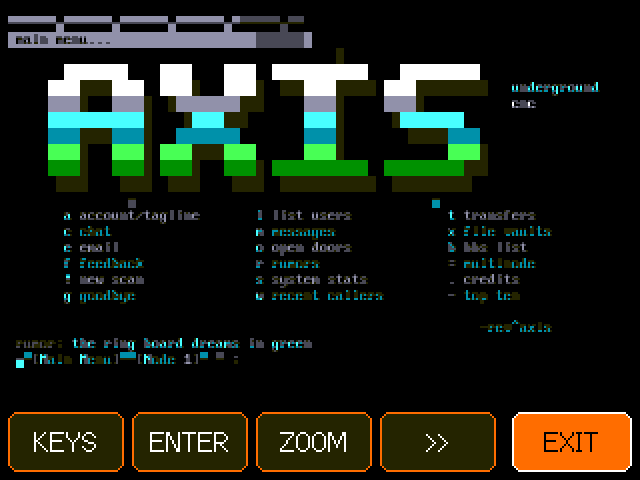
The BBS on the board's own screen: 80 columns crisp, or ZOOM.

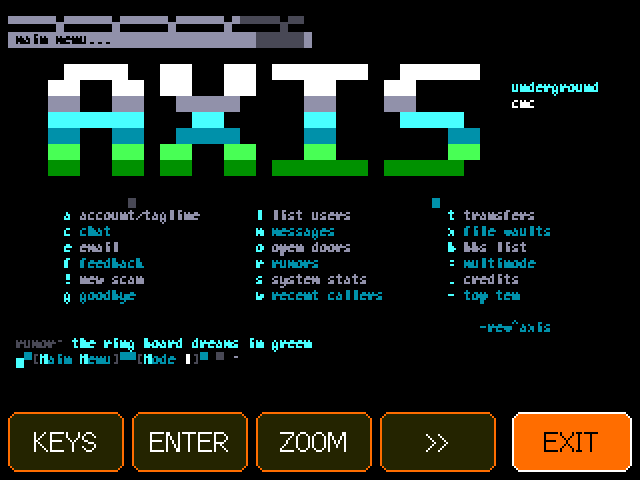
LOCAL opens the BBS on the board's own screen, logged in as the sysop. It is a full 80x25 ANSI terminal, and it opens on all 80 columns drawn crisp in tiny cells, so you see the whole screen exactly as a caller does. The buttons along the bottom:

The local console on the CYD showing all 80 columns of the BBS crisp, with KEYS, ENTER, ZOOM, arrows and EXIT buttons
All 80 columns, crisp
  • KEYS the touch keyboard; type a line, OK sends it
  • ENTER sends Enter
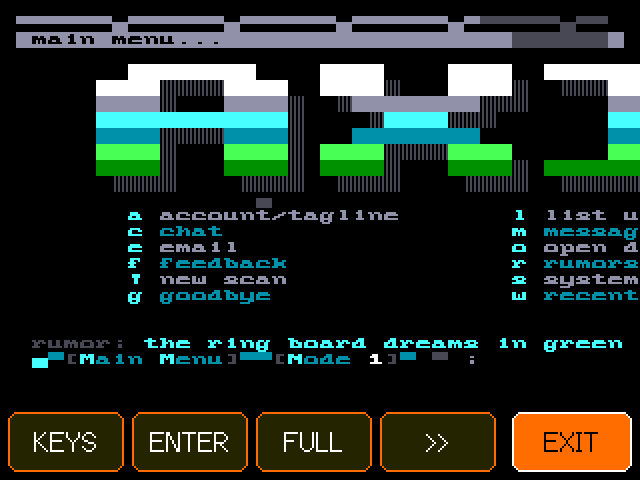
  • ZOOM 40 big readable columns (the button then reads FULL)
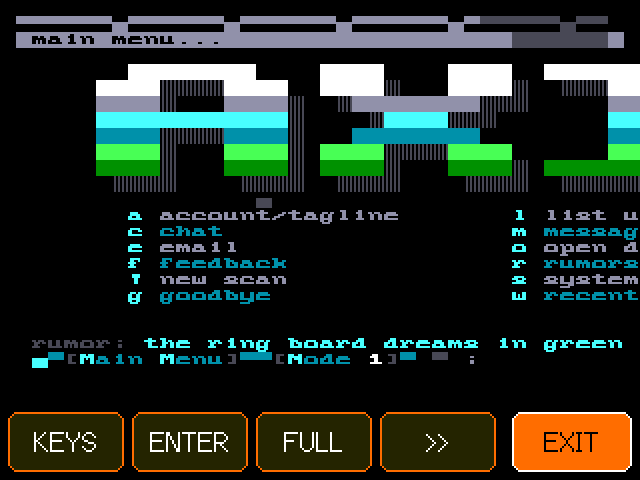
  • >> zoom on the right half (<< goes back)
  • EXIT logs off

Zoomed, the view follows the cursor between the two halves. The local console uses the theme's screens and the shared lists like any caller, and counts as busy for node renumbering. Doors and downloads need a real terminal, so it says to call in over telnet for those. Its buffers exist only while it is open.

The local console on the CYD at full width
The local console
The local console zoomed to 40 big columns, left half
ZOOM: the left 40 columns
The local console zoomed to the right 40 columns
>>: the right 40 columns
Sysop

RGB LED and ring

Topic
RGB LED and ring
Area
Sysop
From
Rev. J. Money
To
All
Updated
2026-11-04
Msg
27 of 34

What the LED colours and the headless LED ring mean.

Every board shows the whole cluster's state on its LED, not just its own. On the CYD that is the RGB LED on the back (GPIO 4, 16 and 17). When several things are going on, each active signal gets a 2 second turn.

The activity screen's status lights, which mirror the LED signals
The on-screen status lights carry the same news
Reference table: pattern, means (8 rows)
PatternMeans
Magenta strobe, over everythingA caller paged the sysop (for a minute)
Yellow double blinkThe main was lost a moment ago
Red, 1 HzA door is running
Cyan breathingA file transfer
Green long blinkNew user applications waiting
Blue double blinkTeleconference in use
White flashA caller is online
Faint blue pulse every 5 sIdle and alive

@LED on the serial console prints what the LED is showing and why.

The headless LED ring

The headless-ring build drives an eight-light ring (reds on GPIO 23, 19, 12, 25 and greens on 22, 18, 14, 33) as a cluster status ring:

  • A comet with a fading tail runs round the ring: slowly when idle, fast when callers are on.
  • A door running: the comet runs on the four reds only. A transfer: on the four greens only.
  • Teleconference: two comets chase each other.
  • New users waiting: a green flash every 2 seconds.
  • The main lost: the reds breathe slowly.
  • The sysop is paged: every red flashes four times a second.

A plain headless board shows the RGB patterns as brightness on its single LED (GPIO 2).

Sysop

Headless nodes

Topic
Headless nodes
Area
Sysop
From
Rev. J. Money
To
All
Updated
2026-11-04
Msg
28 of 34

Plain ESP32 boards as extra nodes, set up over AXIS-SETUP.

Any plain ESP32 dev board (no screen, no touch, no SD card) can join the cluster as more nodes. It takes 3 callers by default, since it has no screen to draw.

Who's online with callers on several boards, headless nodes included
Nodes from every board in who's online
pio run -e headless -t upload --upload-port COM7
pio run -e headless-ring -t upload --upload-port COM7   # with the eight-light ring
  1. Join WiFi. With no saved network, the node opens a WiFi hotspot named AXIS-SETUP. Join it from a phone or laptop and open http://192.168.4.1/. The page lists the networks it can hear; type the network name and password and press Join. The password is sent once, never shown back and never logged. The node restarts on your network.
  2. It finds the main. There is no setup wizard: the node takes the main's settings over the link, names itself axis- plus the end of its MAC address, and starts taking callers on its own node numbers.
  3. It shares everything. File areas, messages, theme screens, lists and doors all come from the main over the link. The ANSI viewer, the upload checker and the doors run on the node itself.
Sysop

Internet extras

Topic
Internet extras
Area
Sysop
From
Rev. J. Money
To
All
Updated
2026-11-04
Msg
29 of 34

Optional Discord announcements and dynamic DNS (No-IP or GoDaddy).

Extras that reach out to the internet. Both are off by default, and both are optional: the BBS needs neither.

Rumors, one of the kinds of scene news that can be announced on Discord
Rumors, uploads and new users are the kind of news it posts
  • Discord announcements. Scene news goes to a Discord channel webhook: new user applications, validations, accounts added, uploads, oneliners, rumors, door launches and sysop pages. Never calls, addresses or system details. @everyone and @here in caller text are neutralised.
  • No-IP dynamic DNS. Keeps a free No-IP hostname (like myboard.ddns.net) pointed at your home IP. Works with an account login or a DDNS key (update host all.ddnskey.com, which updates every host on the key). Checked every 10 minutes, updated only when the IP changes; the first check waits a minute after boot. If No-IP refuses (bad login, unknown host, abuse) the board stops asking until you set it again, as No-IP requires. The setup wizard asks for it, or set it on the serial console.
  • GoDaddy dynamic DNS. Keeps a GoDaddy subdomain's A record pointed at your home IP, checked every 10 minutes (via api.ipify.org). Handy with port forwarding.

They use HTTPS with real certificate checks (the root certificates are built into the firmware). A TLS handshake needs about 45 KB of free memory, more than a busy CYD main has, so the work is done by whichever board holds these settings, typically a headless node. No-IP is the exception: on a board without room for HTTPS it updates over plain HTTP (No-IP supports it), so it runs fine on the main. The board only tries HTTPS when the memory is there. Every board's news travels to the main and out over the link to that board. The secrets live in that board's own NVS, set on its serial console, and never go into /axis.ini or the cluster settings.

Reference table: command, what it does (7 rows)
CommandWhat it does
@DISCORD https://discord.com/api/webhooks/...Saves the channel webhook. @DISCORD alone turns it off.
@DDNS domain|host|key|secretSaves the GoDaddy domain, the subdomain host, and your API key and secret. @DDNS alone turns it off.
@NOIP host|username|passwordSaves No-IP dynamic DNS on this board. @NOIP alone turns it off.
@NOIPNOWUpdates No-IP right now and prints the result (good or nochg means it worked).
@WEBStatus: Discord on or off, the DDNS and No-IP names or off (never the password), and the last results.
@WEBTESTQueues a test announcement ("is online").
@WEBPINGFetches your public IP over HTTPS and prints the HTTP code, the time and free memory.
NoteOn the AXIS UNDERGROUND CNC test board, No-IP dynamic DNS is on (the main board updates it); Discord and GoDaddy are off.
Reference

Settings reference

Topic
Settings reference
Area
Reference
From
Rev. J. Money
To
All
Updated
2026-11-04
Msg
30 of 34

Every axis.ini key with its default and an example.

All settings live in /axis.ini in the board's internal flash: plain key=value lines, one per setting, that the board writes itself. There are three ways to change them:

BBS SETUP on the CYD listing the current settings
The settings as BBS SETUP shows them
  • On the CYD: BBS SETUP shows them; THEME flips the look and RUN SETUP runs the wizard again.
  • On the serial console: @SET key=value changes any single setting, saves it, logs it and shares it with the cluster. Example: @SET location=Myrtle Beach, SC, USA.
  • In /axis.ini: the same keys and format. Keys the firmware does not know (from a newer release) are kept when it saves.

The main board shares its settings with every board in the cluster. Each other board keeps only its own board_name, sessions and telnet_port.

Reference table: key, what it does, default (23 rows)
KeyWhat it doesDefaultExample
bbs_nameThe BBS name shown to callers, in MCI %BN, and passed to doors exactly as set.Axis Underground CNCbbs_name=Chip Pile BBS
sysop_handleThe main sysop's login handle; also passed to doors (LORD cares about it).set by the wizardsysop_handle=Rev
sysop_real_nameYour real name, shown only on BBS SETUP.emptysysop_real_name=Pat Smith
sysop_salt, sysop_hashThe sysop password, salted and hashed. Written by the wizard; do not edit.set by the wizard(not shown)
dospass_salt, dospass_hashThe DOS Prompt door password, salted and hashed. Set with @DOSPASS; do not edit.empty (door off)(not shown)
locationWhere the board is; on the login screen and front door.emptylocation=Myrtle Beach, SC, USA
board_nameThis board's LAN name: callers dial <name>.local. Kept per board.axis (headless: axis- plus MAC tail)board_name=axis
public_hostThe internet name callers use; shown as the dial address on the Oblivion front door.emptypublic_host=bbs.example.com:2323
telnet_portThe TCP port this board answers on. Kept per board.23telnet_port=23
timezoneClock zone: EASTERN, CENTRAL, MOUNTAIN, ARIZONA, PACIFIC, ALASKA, HAWAII, UTC, UK or CENTRAL EUROPE (daylight saving included).EASTERNtimezone=PACIFIC
ftn_addressA FidoNet-style address (zone:net/node), shown on the login screen and in the sysop menu. 99:1/0 is a private test zone.99:1/0ftn_address=99:1/0
new_user_securitySecurity level for new applicants (vouched ones get at least 20).10new_user_security=10
daily_minutesMinutes per call (and per door session); warning at 5 left. Sysop exempt.60daily_minutes=90
idle_minutesIdle logoff after this many minutes without a key.5idle_minutes=10
sessionsCallers this board takes at once, 1 to 4. Kept per board. Restart to apply.2 (headless: 3)sessions=3
login_splashThe RotatoCAM ANSI splash before the login screen: on unless 0.1login_splash=0
themeThe look: axis, oblivion or iniquity (anything else means axis).axistheme=oblivion
nuv_yesYes votes that let an applicant in by new user voting. 0 turns voting off (the sysop validates).3nuv_yes=5
nuv_noNo votes that turn an applicant down. 0: only the sysop turns anyone down.3nuv_no=2
nuv_levelThe lowest security that may vote on new users.20nuv_level=50
ratioDownload ratio: callers may take up to ratio times what they uploaded, plus free_kb. 0 means no ratio.0ratio=3
free_kbA download allowance in KB on top of the ratio.0free_kb=512
doorNA door: id|name|exe|args|drop. See doors. *LORD is the native game. An .EXE is not started on the board.native LORD, ANSI viewer, DOS Promptdoor1=lord|LORD|*LORD||none
areaNA file area: id|name, id|name|level or id|name|level|m. Sorted by N; a repeated N replaces. A 4th field m mirrors the area onto two SD cards (see SD card clustering).the 19 default areasarea30=gameboy|Game Boy Homebrew|20
msgareaNA message area: id|name or id|name|level.the 5 default areasmsgarea6=lasers|Laser Talk
setup_done1 once the setup wizard has saved. 0 starts the first-boot setup.0setup_done=1

Example /axis.ini (password hashes left out):

Example file
# Axis Micro BBS Firmware settings (written by the board; safe to edit)
bbs_name=Axis Underground CNC
sysop_handle=Rev
location=Myrtle Beach, SC, USA
board_name=axis
telnet_port=23
timezone=EASTERN
ftn_address=99:1/0
new_user_security=10
daily_minutes=60
idle_minutes=5
sessions=2
login_splash=1
theme=oblivion
ratio=3
free_kb=512
door1=lord|LORD|*LORD||none
door2=ansiview|ANSI Pack Viewer|*ANSIVIEW|ansi|none
door3=dos|DOS Prompt (password)|*DOSSHELL|dosbox|none
area1=axis|Axis Micro BBS Firmware
area2=gcode|G-code and Toolpaths
msgarea1=general|General Chatter
msgarea2=cnc|CNC Shop Talk
setup_done=1

WiFi networks are not in /axis.ini: up to five are kept in the board's NVS, set from the touch picker (or the AXIS-SETUP page on a headless node), and never stored in the code or the repository. The Discord and dynamic DNS secrets are in NVS too.

Reference

Serial console

Topic
Serial console
Area
Reference
From
Rev. J. Money
To
All
Updated
2026-11-04
Msg
31 of 34

Every @ command on the USB serial console.

Plug the board into a computer over USB and open its serial port at 115200 baud (pio device monitor, or any serial terminal). Type a command and press Enter. The board also prints its boot log and events here. Commands marked bench are mainly for testing and debugging.

The activity screen showing the newest events, such as a setting changed from the serial console
Serial changes show up in the event log ("sysop: set theme")
pio device monitor -b 115200 -p COM5
@SET theme=oblivion
@SYSOP SpindleKid
@NODES
Reference table: command, what it does (25 rows)
CommandWhat it does
@SET key=valueChange one setting, save it, log it and share it with the cluster.
@SYSOP handleMake a caller a sysop (validated, security 255).
@ADDUSER handle|location|passwordAdd a validated caller at security 20 (password 6+ characters). Synced to every board.
@DOSPASS secretSet the DOS Prompt door password. @DOSPASS alone clears it (the door is then off).
@SYSOPPASS secretSet the sysop account's password (6 or more characters). The main board shares it with every board.
@RUMOR textAdd a rumor to the board's list (kept on the main, 300 at most). Callers add their own with R then A at the main menu.
@RESETSETUPErase /axis.ini and restart into the first-boot setup. Users are kept.
@LOGPrint the event log, newest last.
@LOGCLEARWipe the event log (screen, flash file and its old copy) and the page shown on the activity screen.
@NODESThe cluster as this board sees it: every node's number, IP, caller and activity (bench).
@CARDSOn the main: each SD card in the pool (this board's and every card board's), its free space, and whether it is up. See SD card clustering.
@MIRROROn the main: the mirrored areas and the mirror job's state (copying, resting, copied and failed counts, the last event).
@LEDWhat the LED is showing and why (bench).
@SDCHECKLook for the SD card again (after swapping cards).
@SDFORMAT FORMATErase the SD card to fresh FAT32, the same as FORMAT SD on the sysop menu. Refused while a caller is online.
@DOORLS idList a door's folder the way the door sees it.
@DOORCHECK id [force]Relocate the door's EXE (<id>.EXE) into the door flash partition now; force rebuilds it.
@DOORSTATEThe running door's state, for a door that seems stuck (bench).
@WIFIPICKOpen the touch WiFi picker on demand.
@SHOTStream a screenshot of the CYD screen (used by tools/screenshots/cyd_shot.py; bench).
@TAP x ySimulate a tap on the touchscreen (bench).
@PUT, @LS, @RM, @MKDIR, @BAUDFile transfer to the board's storage, used by tools/sdput.py (bench).
@DISCORD [url]Discord webhook on that board, or off. See internet extras.
@DDNS [domain|host|key|secret]GoDaddy dynamic DNS on that board, or off.
@KICK n, @ADDTIME n min, @FORCETC n, @NOTE n text, @BCAST textAct on a node on this board: kick, more minutes for this call, send to the teleconference, a note; a broadcast to every caller on this board.
@USERS, @USER h, @VALIDATE h, @DENY h, @SEC h n, @PERM h files|msgs|doors|freedl on|off, @TWIT h on|off, @UEDIT h|field|value, @USERPASS h pw, @UDEL hUsers: list, details, validate, deny, level, permissions, twit, edit a field (realname, location, email, tagline, security, handle), set a password, delete.
@AREAS, @MSGAREAS, @AREASET files|N|id|name|level, @AREADEL msgs|N, @AREAUP files|NFile and message areas: list, add or change, remove, move up.
@FILES area, @FDESC area|name|text, @FREN area|old|new, @FMV area|name|to, @FDEL area|nameFiles in an area: list, describe, rename, move, delete.
@POSTS area, @POSTDEL area|n, @POSTMV area|n|to, @PURGE area|daysPosts in a message base: list, delete, move, purge old ones.
@MENU, @MENUCMDS, @MENUSTART, @MENUSET N|key|name|command, @MENUUP N, @MENUDEL N, @MENURESETThe main menu's items: list, the commands they can run, start editing from the built-in menu, add or change, move, remove, back to the built-in menu.
@SETTINGS, @STATUS, @RUMORS, @LINERS, @BBSLIST, @VOTES, @RESTARTThe settings (never a salt or hash), one status line, the lists, restart this board.
@NUP [password]Sets the new user password (NUP) callers need before they can apply, shared to every board. @NUP alone lets anyone apply again.
@NOIP [host|username|password]No-IP dynamic DNS on that board, or off. @NOIPNOW updates at once. See internet extras.
@WEB, @WEBTEST, @WEBPINGInternet extras status, a test announcement, and an HTTPS test.
Note@DISCORD and @DDNS are stored on whichever board you type them into, normally a headless node, and are optional. They are off unless you set them.
Copying files over USB

tools/sdput.py copies a folder onto the board's storage over the serial port and checks every file's byte sum. From Git Bash on Windows, put MSYS_NO_PATHCONV=1 in front so the board path is not rewritten into a Windows path.

python -I tools/sdput.py COM5 my-files /files/text --baud=921600
Reference

Hardware and building

Topic
Hardware and building
Area
Reference
From
Rev. J. Money
To
All
Updated
2026-11-04
Msg
32 of 34

The board, partitions, SD layout, PlatformIO and PC tests.

The CYD's 2.8 inch screen showing the sysop menu
Everything runs on this 320x240 board

The board

The ESP32-2432S028R "Cheap Yellow Display": an ESP32 at 240 MHz with 4 MB of flash and no PSRAM, a 2.8 inch 320x240 resistive touchscreen, a microSD slot, and an RGB LED. USB powers it and carries the serial console. The firmware is built to fit that: about 1.8 MB of program, a screen copy kept at 4 bits per pixel, and doors that borrow memory only while they run.

Partition table

The same on every board (partitions.csv):

Reference table: name, type, offset (5 rows)
NameTypeOffsetSizeHolds
nvsdata, nvs0x900020 KBWiFi networks, web secrets
otadatadata, ota0xE0008 KBBoot selection
app0app, ota_00x100001.875 MBThe firmware, including native LORD
doordata, 0x410x1F0000384 KBOld EXE cache. Native LORD does not use it. Left in place so LittleFS is not moved.
spiffsdata, spiffs (LittleFS)0x2500001.69 MB/axis.ini, /users.dat, event log, lists, and everything when there is no SD card

LittleFS keeps its offset and size across releases, so a new flash never loses users, settings or logs.

The SD card

FAT32. The board checks for a card at boot and uses it for storage if it answers, otherwise internal flash. FORMAT SD (or @SDFORMAT FORMAT) makes a fresh FAT32 volume.

/sd/files/<area id>/     file areas, each with an optional FILES.BBS
/sd/doors/lord/          native LORD data (warriors, gear, ANSI scenes)
/sd/themes/<theme>/      MATRIX.ANS, MAIN.ANS, BULLETIN.ANS
/sd/dosbox/              the DOS Prompt sandbox (16 MB at most)
Building from source

PlatformIO, the espressif32@6.9.0 platform, the Arduino framework and LovyanGFX. Three environments:

EnvironmentForCommand
cyd (default)The CYD with screen, touch, SD and RGB LEDpio run -e cyd -t upload --upload-port COMx
headlessA plain ESP32 node, one LED on GPIO 2pio run -e headless -t upload --upload-port COMx
headless-ringA headless node driving the eight-light ringpio run -e headless-ring -t upload --upload-port COMx
The two builds

Same tree, two builds. CMakeLists.txt follows IDF_PATH.

  • Board. pio run -e cyd (or headless, headless-ring). PlatformIO sets IDF_PATH. The image is src/, including src/lord/. dosemu/ is not linked.
  • PC. Leave IDF_PATH unset. CMake includes CMakeLists.pc.txt, which links dosemu/, third_party/i8086, and the native engine. You get axis_tests, doorhost, and xfertest.
cmake -S . -B build -G Ninja
cmake --build build
build/axis_tests

On Windows use MSYS2's g++ and Ninja. How to run an unmodified EXE is on the DOS emulator page. tools/xfertest calls a board like a caller to measure transfers.

Reference

Troubleshooting

Topic
Troubleshooting
Area
Reference
From
Rev. J. Money
To
All
Updated
2026-11-04
Msg
33 of 34

Answers to the usual problems.

The download gate message a new caller sees
Not a bug: the download gate
My computer can't find axis.local

Some systems do not resolve mDNS names. Dial the board's IP address instead: it is on the activity screen ticker and in SYSTEM on the sysop menu.

The art looks torn or shifted

Set your terminal to 80x25 with a CP437 font and let it wrap at column 80. SyncTERM is the reference. A Windows console telnet client is not a BBS terminal.

The board won't join my WiFi

The ESP32 only sees 2.4 GHz networks. Check the password (SHOW reveals it on the keyboard), move the board closer, or use HIDDEN for a network that does not broadcast. @WIFIPICK reopens the picker.

The file areas say they are offline

The main board has no working SD card. Use a FAT32 card, reseat it and send @SDCHECK, or format it from SYSTEM, FORMAT SD.

A caller can't download anything

That is the download gate: they need to upload something first, or you turn on FREE DL for them. If they have uploaded, check the ratio and free_kb settings.

"The door is busy"

Another caller on the same board is in the ANSI viewer, the DOS prompt, or a file transfer. Those share one slot. Native LORD does not, so two callers can be in it together.

The DOS Prompt says it is not enabled

Set its password on the serial console: @DOSPASS yourpassword.

A door says the DOS runtime is not in this firmware

That row is an .EXE. The board runs *LORD, not LORD.EXE. Open the native row, or run the EXE with doorhost on a PC. See the DOS emulator.

A second board doesn't join

Both boards must be on the same network and subnet, and the router must pass UDP broadcast and mDNS between them. Guest networks with client isolation block it. @NODES shows what each board sees.

I forgot the sysop password

@RESETSETUP on the serial console erases the settings and restarts into the first-boot setup, where you set a new sysop account. User accounts are kept. If another account is a sysop (security 255), it can still log in meanwhile.

Discord or dynamic DNS does nothing

Both are off until set, and the HTTPS work needs about 45 KB of free memory. Set them on a headless node, then check with @WEB and @WEBPING.

Reference

License and credits

Topic
License and credits
Area
Reference
From
Rev. J. Money
To
All
Updated
2026-11-04
Msg
34 of 34

GPL-3.0-or-later with the attribution term.

Axis Micro BBS Firmware and the AXIS UNDERGROUND CNC board are created by Rev. J. Money, the maker of RotatoCAM: rotatocam.com and jmscnc.com.

Copyright (C) 2026 Rev. J. Money. This project is free software under the GNU General Public License v3.0 or later. You can use, study, change and share it, but anything you distribute that is built from it must also be GPL-3.0 with its source available, and you must keep the copyright notices.

Additional term under GPLv3 section 7(b): any copy or derived work, in whole or in part, must keep the "Copyright (C) 2026 Rev. J. Money" notices in the source files, must keep the author credit (Rev. J. Money, rotatocam.com, jmscnc.com) in the README or an equivalent file, and, if it has an interactive interface, must keep that credit visible in its credits or about screen. On the BBS that is the Credits screen.

Third-party pieces keep their own licenses and are listed in THIRD_PARTY_NOTICES.md. Doors and artpacks belong to their authors; LORD is by Seth Able Robinson.

The website's text face is built from the board's own font table: the IBM VGA 8x16 glyphs as packaged by VileR (int10h.org), licensed CC BY-SA 4.0; the webfont (site/fonts/AxisVGA.woff2, made by tools/art/make_vga_webfont.py) carries the same license.

Source: github.com/revjmoney/axis-bbs. Features and fixes log: docs/FEATURES.md.

The BBS credits: Axis Micro BBS Firmware by Rev. J. Money, rotatocam.com, jmscnc.com, and the GPL v3 notice with the added credit term
The credits screen every copy keeps (an early capture)
AXIS UNDERGROUND CNC Node 1 9600 bps ANSI Docs Buy Test access